1.8.34 Nov 2026
New in Timery: Support for iPhone Duo and for iOS 27 including extra-large-portrait widgets, expanded Dynamic Island support, Apple Watch complication improvements, and several design tweaks.
— iPhone Duo —
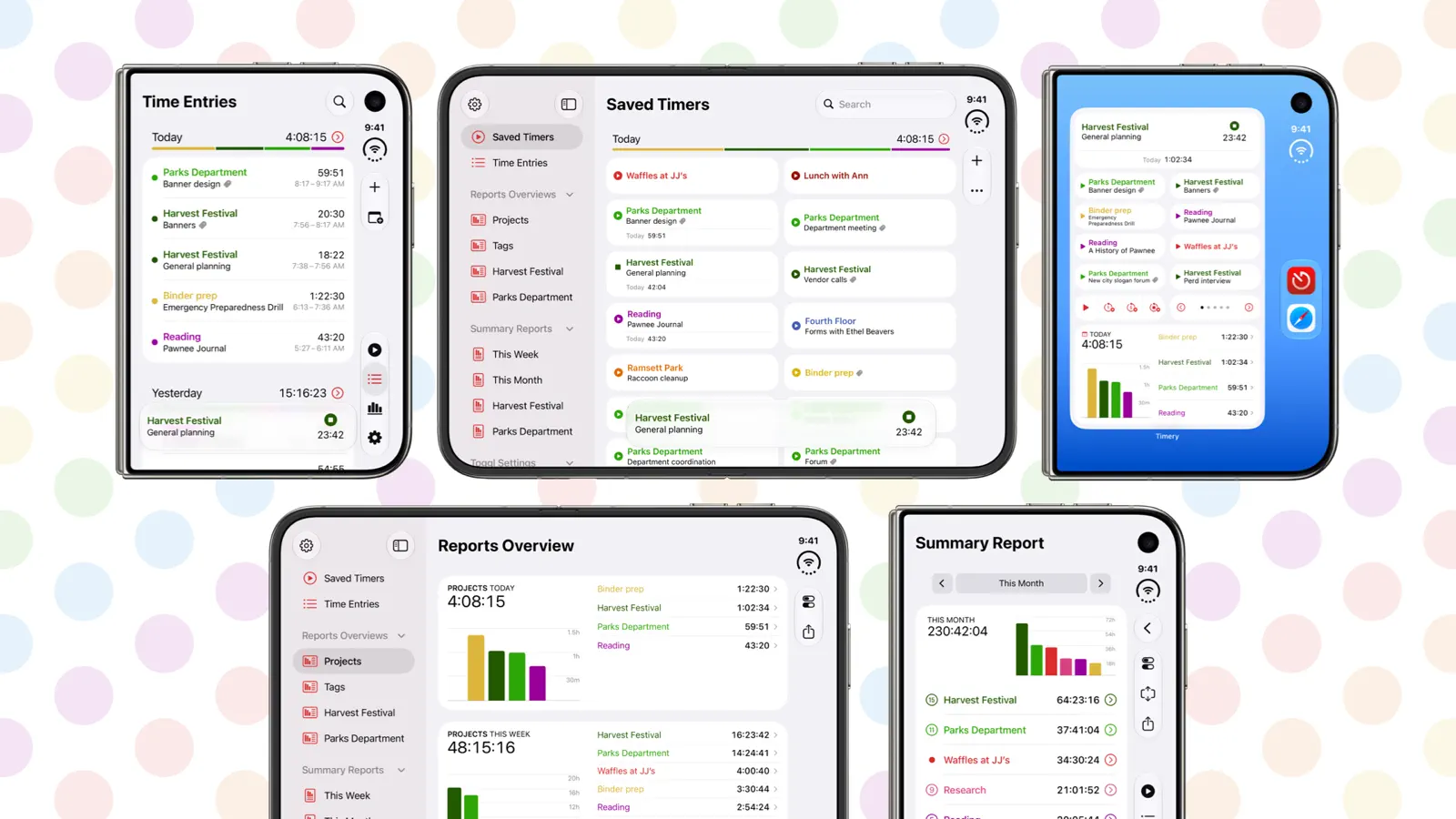
Timery is now optimized for iPhone Duo. On the outer display, Timery shows the iPhone layout with a vertical tab bar and buttons. On the inner display, Timery shows the iPad layout with a sidebar.
— Widgets —
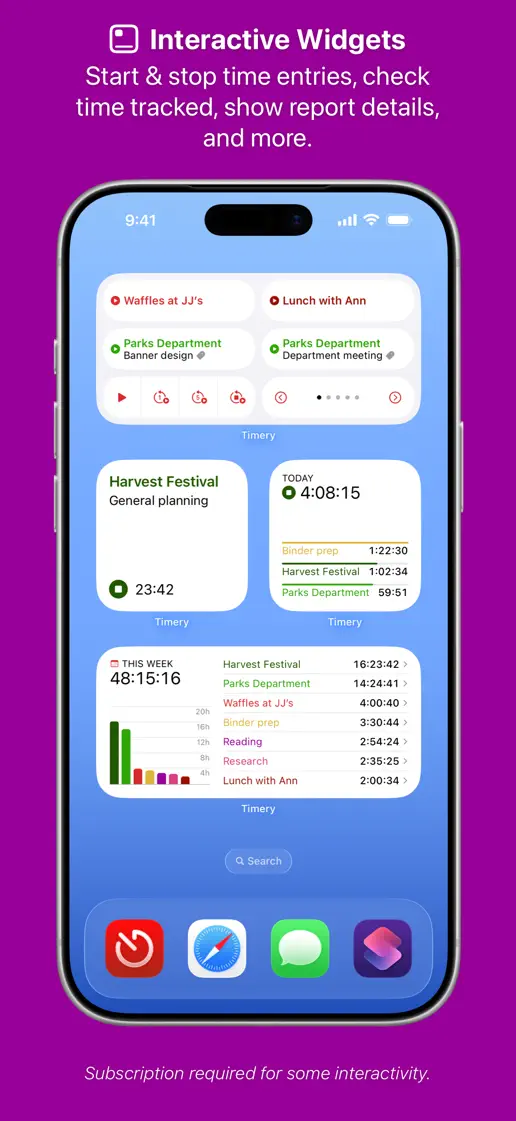
On iOS 27, the Dashboard, Project, Saved Timers, Recent Timers, and Time Tracked widgets have new extra-large-portrait sizes.
With this size, turn on widget features like the current timer’s duration today, start controls, and timer pages and still have plenty of room for timer buttons.
— Dynamic Island —
On iOS 27, Timery now better supports the Dynamic Island in landscape orientation and on iPhone 18 Pro with two or more Live Activities.
In these compact-width activities, when seconds are turned on for the Dynamic Island, durations under one hour will show just minutes (e.g. “23m”); durations over one hour will show hours & minutes (e.g. “1:04”).
(Note: This format change won’t happen right at the hour mark because of how Live Activities work, but the next time the Live Activity is updated either from opening the app or a background update, the format will change.)
— Apple Watch —
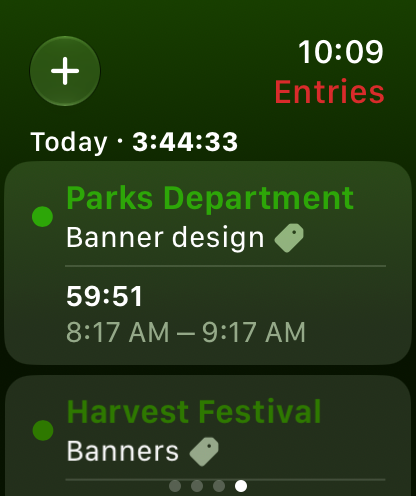
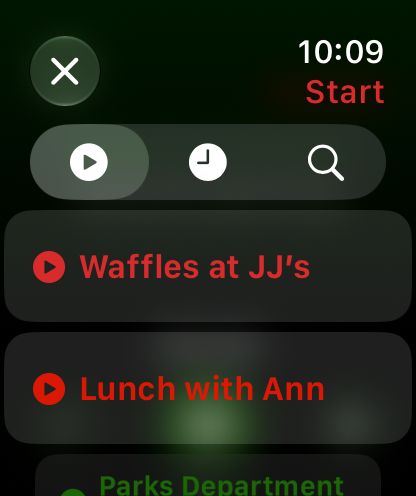
From an iPhone running iOS 27, Timery can now update complications on an Apple Watch running watchOS 27 after starting, stopping, or editing the current time entry when the watch is connected & in range and the watch app is suspended in the background.
(Note: This isn’t guaranteed to happen every time, but Timery will attempt to make it happen. Even if it doesn’t, opening the app should show the updated current time entry right away and update complications.)
Timery now requires watchOS 9 or higher.
— Mac —
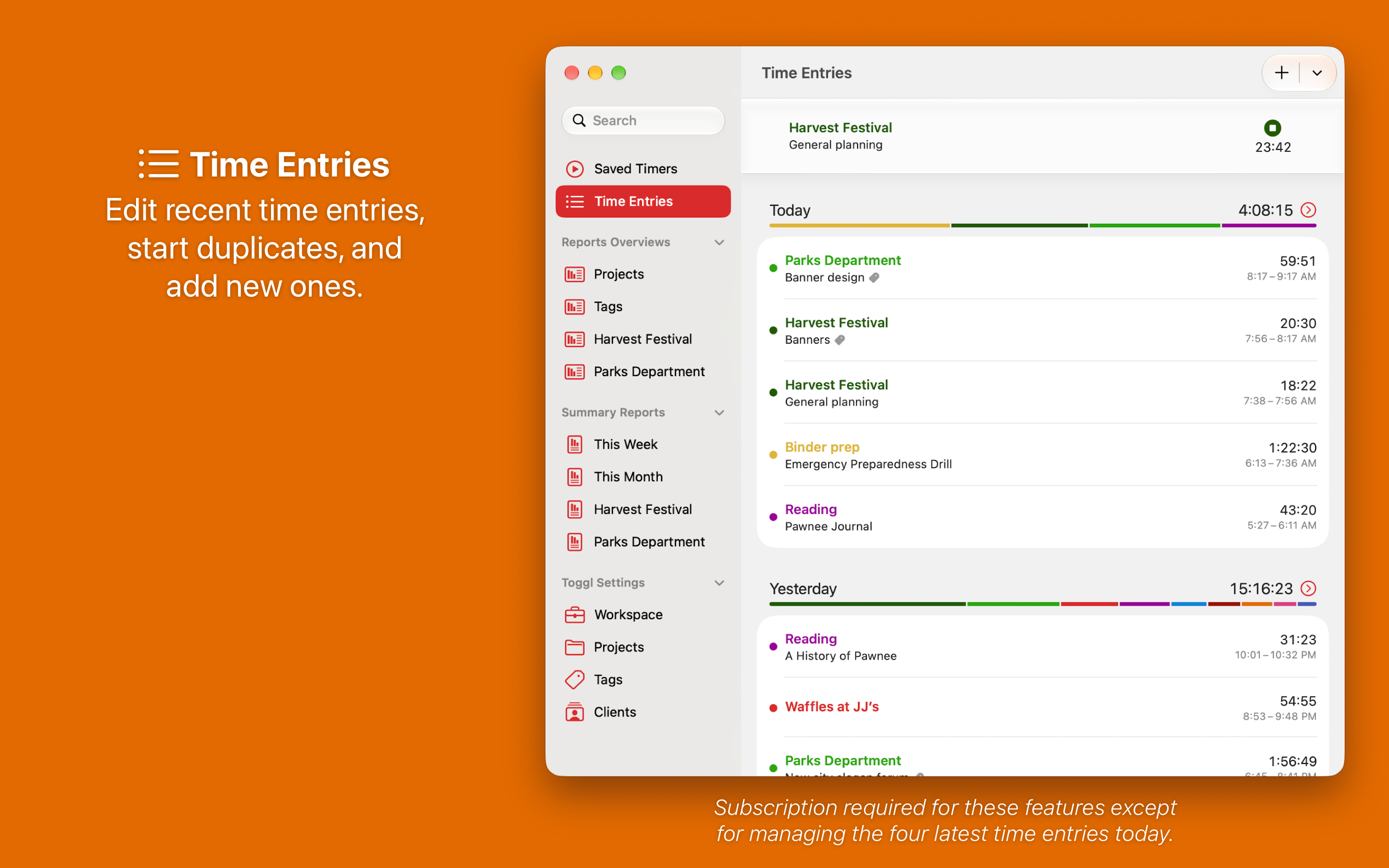
There are various design tweaks including improvements to the current-time-entry view below the toolbar, buttons in the toolbar, and menus with some restored icons.
On macOS 27, pull-to-refresh is now available in Saved Timers view, Time Entries view, and in reports.
Alternate Dock icons are updated to be in the OS27 style. For macOS 26, there is a small selection of alternate icons in the OS26 style to also choose from. On macOS 26 and higher, there is a new option to set whether or not light icons automatically change to dark versions when system dark mode is on.
This update should fix the issue in Time Entries view on macOS 27 where expanding the width of the Timery window and then shrinking it would keep the wide margins in the narrower window.
—————
Thank you for using Timery and being part of the Timery Club. I couldn’t keep working on Timery without you and your support. Thank you. More to come!
Happy time tracking!
– Joe
1.8.217 Sept 2026
This update has some more small improvements & fixes.
Thank you for using Timery and being part of the Timery Club. I couldn’t keep working on Timery without you and your support. Thank you. More to come!
Happy time tracking!
– Joe
—————
Previously in Timery 1.8.1:
• Landscape orientation on iPhone
• Improved projects syncing between devices
• Updated, better-focused context menus
• Some visual tweaks and fixes for iOS and macOS 27
• Many more small improvements & fixes.
More details:
— Landscape iPhone —
Timery now supports landscape orientation on iPhone and will show a sidebar in landscape instead of a tab bar (iOS 18 & higher).
— Projects Syncing —
In an effort to better keep devices in sync, adding or editing projects, tags, & clients in Timery on one device will notify other devices of a change through iCloud. When Timery is opened on those other devices, the app will reload projects, tags, & clients depending on how many hourly Toggl profile API requests remain and how long until the quota resets.
— Menus —
Context menus throughout the app have many updates & improvements. Actions in Time Entries view menus and the current time entry view menu have been rearranged and reorganized (and sometimes removed) to better focus the menus on core actions.
Actions in the Mac menu bar item’s menu have also been rearranged and reorganized to better focus the menu. Some menus and actions as well as the time-tracked items have been consolidated to allow more timers to appear in the menu (when set to not be shown in a submenu) before having to scroll.
1.8.15 Sept 2026
New in Timery: Landscape orientation on iPhone, improved projects syncing between devices, some visual tweaks and fixes for upcoming OS versions, and many more small improvements & fixes.
— General Improvements —
Timery now supports landscape orientation on iPhone and will show a sidebar in landscape instead of a tab bar (iOS 18 & higher).
In an effort to better keep devices in sync, adding or editing projects, tags, & clients in Timery on one device will notify other devices of a change through iCloud. When Timery is opened on those other devices, the app will reload projects, tags, & clients depending on how many hourly Toggl profile API requests remain and how long until the quota resets.
Several visual tweaks and fixes for upcoming OS versions include an updated default dark-mode background for widgets to match dark-mode app icons and restored icons for timers in the Mac menu bar item’s menu.
— Context Menus —
Context menus throughout the app have many updates & improvements. Actions in Time Entries view menus and the current time entry view menu have been rearranged and reorganized (and sometimes removed) to better focus the menus on core actions.
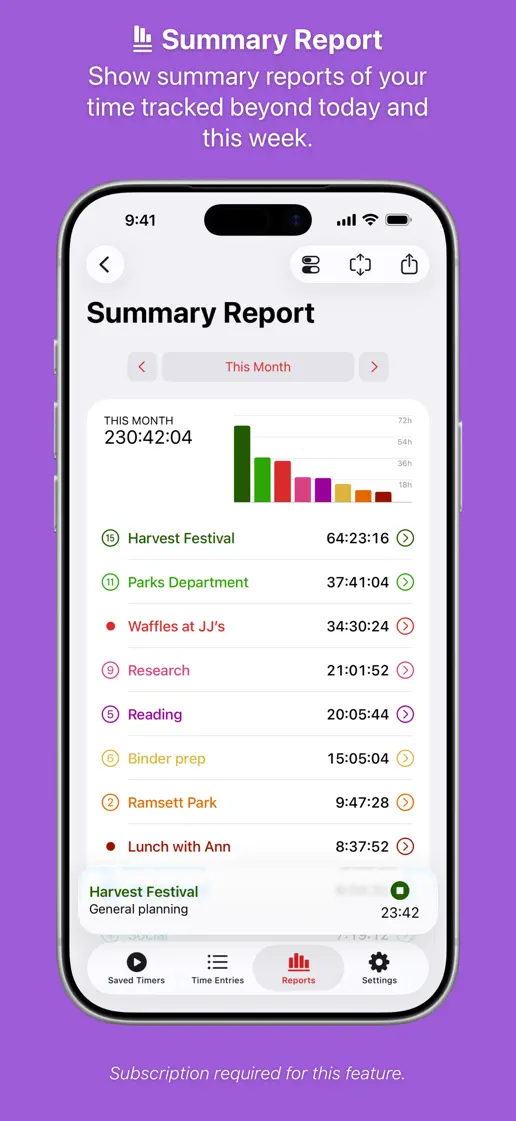
Summary reports have a new configuration-menu action and keyboard shortcut to more quickly edit report dates.
Items in summary reports have context menus to copy the item labels and durations.
— Mac —
Actions in the menu bar item’s menu have also been rearranged and reorganized to better focus the menu. Some menus and actions as well as the time-tracked items have been consolidated to allow more timers to appear in the menu (when set to not be shown in a submenu) before having to scroll.
On macOS 26 & higher, all alternate Dock icons that aren’t already dark will automatically switch to a dark-mode version when macOS is in dark mode (and Timery is running).
— Settings —
Settings > Default View has a new option to set if on iPhone and in narrow windows on iPad (as well as on Mac in narrow windows in the toolbar) pressing the Reports tab defaults to showing Summary Report instead of Reports Overview.
Settings > Saved Timers View has a new option to set if pressing Saved Timers in the tab bar and sidebar when already in Saved Timers view always scrolls the view to the top or switches between scrolling the view to the top and to the bottom.
Alternate app icons include a Disability Pride icon. And dark-mode stripe icons are now darkened versions of the light-mode icons to retain their color.
— Fixes —
When editing a time entry in the edit view, editing the start & stop times and duration should better position the view so the update button below the times stays visible (depending on device screen size of course).
When turned on in settings, checking if the current time entry started yesterday and offering to split it at midnight should work more reliably again.
In summary reports, an issue where reports could use an incomplete set of cached time entries should be fixed. And days, weeks, & months reports should more reliably sort report items chronologically and include days/weeks/months with no time tracked when set to.
For paid Toggl accounts, when adding a new project, custom project colors are available to choose from like when editing a project.
Many, many more fixes and design tweaks.
—————
Thank you for using Timery and being part of the Timery Club. I couldn’t keep working on Timery without you and your support. Thank you. More to come!
Happy time tracking!
– Joe
1.83 Jun 2026
New in Timery: An updated design for iOS & macOS 26, many small improvements & fixes, and more Toggl API optimizations.
— Updated Design —
Timery’s design is updated for iOS & macOS 26. Everything is updated yet familiar.
The main app icon and all alternate icons are updated too. To simplify things a bit, some alternate icons are gone (sorry if yours is), but there are still 122 icons to choose from on iOS and 83 on macOS.
For previous versions of iOS & macOS, there are new alternate icons of the classic app icon and a few others.
— General —
There are many improvements and fixes to loading & caching time entries amongst the apps, widgets, Shortcuts actions, and iCloud.
Summary Report widgets should better load & cache time entries to share with the main app and other widgets to reduce profile API requests.
When the Settings > Tag Names option to show names in the app and widgets is on, tag names use a slightly larger font size. There’s also a new option to make tag names use a more prominent text color for increased legibility.
When starting a current time entry in the edit view, there’s a new “Stop & Add” button to set the stop time and log the time entry in a single action.
When editing the current time entry, there’s a new option to clear the stop time in case it was accidentally set during editing.
New clients can be added when adding or editing a project.
Settings > Report Exports has new options to specify if CSV exports include total seconds and project colors. And the “Export Saved Report” action in Shortcuts has new options to use the app settings or override them.
— Apple Watch —
The current time entry should better sync between the iPhone and watch apps when the watch is connected.
Complications should more reliably update when returning to the watch face from the app.
The time-entry edit view by default hides the rows to edit the project, description, and tags to allow quicker access to copying timer details and adjusting times. There’s a button to show the rows, and there’s an option in Settings > Edit View to always show them.
Settings > Edit View also has a new option to automatically show timers lists when opening the edit view to start or add a time entry to more quickly copy time-entry details.
Settings > Current Time Entry Complications has new options to open the app to the edit view and open to the edit view when a current time entry isn’t running. And the option to open to timers lists when a current time entry isn’t running should be more reliable.
— Mac —
There’s a new menu in Settings > Menu Bar App to select which projects have their recent timers appear in the recent timers menu.
Start Saved Timer Control widget symbols can be updated on macOS 26 when editing a saved timer and in settings.
— Widgets —
New widgets without buttons & sections (like Current Time Entry and single-graph Time Tracked widgets) have an option to show a border to look more like widgets with buttons & sections.
— Shortcuts —
Fixed the “Find Time Entries” action sometimes not including the current time entry when it should.
Fixed the “Find Time Entries” action not correctly passing the current time entry to an “Update Time Entry” action configured to use found time entries.
—————
Thank you for using Timery and being part of the Timery Club. I couldn’t keep working on Timery without you and your support. Thank you.
Happy time tracking!
– Joe
1.7.38 Dec 2025
This update has more changes and optimizations to help further reduce Timery’s usage of the Toggl API—specifically profile API requests to reload time entries. Plus some more improvements, optimizations, and fixes.
If you use Timery on multiple devices and allow it to sync to iCloud, the app notifies other devices through iCloud that the current time entry has changed and they should update to show the change.
In previous versions of the app, this could result in a higher amount of profile API requests when updating the app on multiple devices.
This version, however, has many improvements to syncing and responding to a change of the current time entry, and the app should now make fewer API requests to reload time entries when responding to the current time entry changing on another device.
Be sure to update to this version on all the devices you use Timery on.
What else is new:
• Summary reports now have months groupings including months/projects and months/tags (a reminder summary reports can only show up to one year of time tracked)
• On iPadOS 26 and macOS 26, menu bar actions include icons; and on iPad, menu bar actions now better match the Mac
• Alerts notifying an API quota has been reached better indicate what caused it; and alerts when over the profile quota should be less aggressive when opening the app from the background
• Several fixes including on Mac where pressing Space in Saved Timers view could select the first saved timer even though it wasn’t highlighted
Widgets:
• Pressing timer text to update Live Activities & widgets is now off by default to avoid confusion why the app isn’t opening; this can be turned back on in Timery Settings > Live Activities and in widget configurations respectively
• Text in the API Quota widget should better display without overlapping especially on devices with smaller widget sizes like iPad mini
Apple Watch:
• When using timer swipe actions that ask how many minutes ago to start the timer, the minutes-input view now includes a button to start at the last stop time when a current time entry isn’t running
• On watchOS 26, editing a time entry’s duration possibly showing blank time pickers should be fixed
—————
Thank you for using Timery and being part of the Timery Club. I really appreciate your support!
Happy time tracking!
– Joe
1.7.214 Oct 2025
This update has more changes & optimizations to help reduce Timery’s usage of the Toggl API (please see below for more information) as well as some general improvements & fixes.
What’s new:
• More changes & optimizations to help reduce Toggl API requests
• New Saved Timers widgets and Recent Timers widgets have new options to show the current timer’s duration today and the current project’s duration today when the current time entry is shown
• Apple Watch complications should better update on watchOS 26 after opening the app
• Updating or stopping the current time entry on Apple Watch should better update Live Activities
• The Mac menu bar and menu bar app have new labels when a current time entry isn’t running to show the latest timer to continue and the latest time entry to restart
• The menu bar app should better update after the computer wakes up from sleep
• More miscellaneous improvements & fixes
—————
Thank you for using Timery and being part of the Timery Club. I really appreciate your support!
Happy time tracking!
– Joe
—————
Important Timery + Toggl Update
As of September 5th, the Toggl time-tracking service has new hourly limits on the number of times their API can be used.
Timery is a third-party Toggl client. It is made independently of Toggl. To display data and perform actions, Timery connects to Toggl through their API.
Each time you load data like time entries & projects, start & stop a current time entry, update a time entry, add or edit projects & tags, show summary reports, and more, Timery makes a request to the Toggl API to perform that action and display the results.
This Timery update has many changes and optimizations to address the API limits and reduce Timery’s API usage.
Understanding these limits and how Timery can further reduce API usage will be a work in progress. These changes so far should help you stay under the limits depending on how you use Timery, how much, and on how many devices.
Please see the in-app update message or Timery Settings for more detailed information on the Timery and Toggl changes.
— Hourly Toggl API Limits —
Toggl has two API limits: one for workspace data requests and one for profile data requests.
The API limits are shared across each device you use Timery on, any other third-party app or service you use that connects to Toggl, and any direct use of the Toggl API.
Workspace requests include: starting, stopping, & updating time entries; adding & editing projects and tags; and showing summary reports.
Profile requests include loading your time entries, projects, tags, and clients.
Free Toggl workspaces can make 30 requests per hour. Paid workspaces can make 240, 600, or more depending on the plan.
All users, whether on a free or paid Toggl plan, can make 30 profile requests per hour.
If you reach either limit, Timery will alert you and will be unable to perform any more actions for that set of API requests until the hour ends and the limit resets.
You can check your current API usage in Timery Settings as well as with a widget.
— Time Entries Refresh Rate —
To help reduce profile API usage, Timery will favor using cached time entries that are shared between the app, widgets, & Shortcuts and will only reload time entries periodically.
Timery periodically reloads time entries to ensure it has the latest data should you have time tracked on another device or outside Timery. You can set how often Timery makes a request to the Toggl API to reload time entries in Timery Settings > Time Entries Refresh Rate and with a Shortcuts action.
1.7.13 Sept 2025
Important Timery + Toggl Update
Starting September 5th, the Toggl time-tracking service will introduce hourly limits on the number of times their API can be used.
Timery is a third-party Toggl client developed independently of Toggl. To display data and perform actions, Timery connects to Toggl through their API.
Each time you load data like time entries & projects, start & stop a current time entry, update a time entry, add or edit projects & tags, show summary reports, and more, Timery makes a request to the Toggl API to perform that action and display the results.
This Timery update has many changes and optimizations to address the API limits and reduce Timery’s API usage.
Understanding these limits and how Timery can further reduce API usage will be a work in progress. These changes so far should help you stay under the limits depending on how you use Timery, how much, and on how many devices.
Please see the in-app update message or Timery Settings for more detailed information on the Timery and Toggl changes.
— Hourly Toggl API Limits —
Toggl has two API limits: one for workspace data requests and one for profile data requests.
The API limits are shared across each device you use Timery on as well as any other third-party app or service you use that connects to Toggl.
Workspace requests include: starting, stopping, & updating time entries; adding & editing projects and tags; and showing summary reports.
Profile requests include loading your time entries, projects, tags, and clients.
Free Toggl workspaces can make 30 requests per hour. Paid workspaces can make 240, 600, or more depending on the plan.
If you reach either limit, Timery will alert you and will be unable to perform any more actions for that set of API requests until the hour ends.
You can check your current API usage in Timery Settings as well as with a widget.
— Time Entries Refresh Rate —
To help reduce profile API usage, Timery will favor using cached time entries that are shared between the app, widgets, & Shortcuts and will only reload time entries periodically.
Timery periodically reloads time entries to ensure it has the latest data should you have time tracked on another device or outside Timery. You can set how often Timery makes a request to the Toggl API to reload time entries in Timery Settings > Time Entries Refresh Rate and with a Shortcuts action.
— Fixes —
• The time-entry edit view’s description text field no longer has auto-capitalization and auto-correction turned on by default; there’s also a new settings menu to set whether or not either are turned on
• Shortcuts actions should no longer ask to select a workspace or project when one is already selected
• Older Mac operating systems should have a potential start-up issue resolved
• Report CSV exports should properly escape commas in percentages depending on locale
—————
Thank you for using Timery and being part of the Timery Club. Your support allows me to continually improve the app.
Happy time tracking!
– Joe
1.73 Jun 2025
New in Timery 1.7:
• Split time entries
• Control Center & Lock Screen controls
• Live Activities on Apple Watch
• More quickly update time entries from context menus
• Automatically update adjacent time entries (those with a shared start or stop time) when updating start & stop times
• Automatically start time entries at the last stop time
• Automatically delete short time entries (and restart the previous time entry)
• More time-period & grouping options in summary reports
• Show item percentages in reports
• Update widgets on demand
• Hide seconds in Live Activities (iOS 18)
• Improved duration updating in widgets with seconds hidden (iOS 18)
• Many new customization settings
• More keyboard shortcuts
• New & updated Shortcuts actions
• Perform contextual actions throughout the app from the Action button
• More easily update start & stop times and durations on Apple Watch
• Optimized iPad app on Apple Vision Pro
• And much more!
Read on for more! And check out “What’s New” in the app for even more!
Split Time Entries
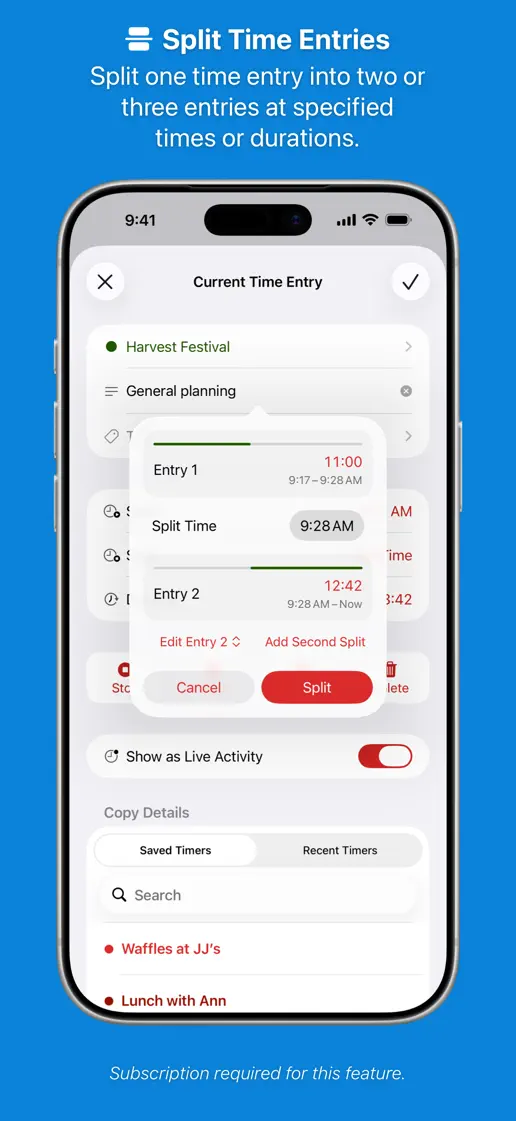
• Split one entry into two or three at specified times or durations
• Split from edit view, context menus, and keyboard shortcut
• Set default split time (at start, in half, or at stop/current time) and editing options
Control Buttons (iOS 18)
• Start Saved Timer
• Update Live Activity
• Open Timery (optionally to a specific view or saved report)
• Continue Latest Timer
Reports
• Reports overviews: Show week-by-day average
• Summary reports:
- More time-period options including last number of weeks & months
- More grouping options including projects/tags, days, and weeks
- Expand & collapse all groups
• Duplicate saved reports in the edit-report view
• Hover with a pointer on bars to more quickly identify the item; tap to select
Widgets
• In widgets with graphs, tap the total time in the first graph to update the widget on demand; in widgets with the current time entry, tap the timer text
• Project color appearances have option to set light/dark appearance
• Current Time Entry: New large size; new options to show/hide durations
• Summary Report: More grouping options
Live Activities
• Tap the timer text to update
• Show current project duration today
• Lock Screen project color appearances have option to set light/dark appearance
• Set translucent backgrounds for the Lock Screen
App
• Show time-tracked header in Saved Timers view
• More quickly add past time entries from the add button context menu in Time Entries view
• Sort project lists by client
• More custom app icons
• All custom app icons support dark & tinted modes
Settings
• Menus reorganized
• Customize symbols for Start Saved Timer controls
• Set dark-mode base color
• Set whether or not to confirm deleting things
Shortcuts
• New actions:
- Find Saved & Recent Timers
- Split Time Entry
- Restart Latest Time Entry
- Delete Time Entry
- Get Last Stop Time
- Set App Accent Color
- Is Timery Active
• “Update Time Entry” has new options to update from a saved timer and to also adjust adjacent time entries’ start & stop times
• “Add Time Entry” has a new option to use a saved timer
• “Find Time Entry” has new filters for stop time and duration
• “Perform Action” has a new option to run a customizable, contextual action in various views throughout the app (meant for the Action button on iPhone)
Apple Watch
• New time pickers to update time entry start & stop times and durations (watchOS 10+)
• When updating start & stop times, automatically update adjacent time entries; also set time to previous stop time or next start time
• Improved duration updating in widgets with seconds hidden (watchOS 11)
Refinements & Fixes
• Many visual refinements and bug fixes
• Improved time & date display
• Improved support for Reduce Motion and Increase Contrast
—————
Thank you for using Timery and being part of the Timery Club. Your support allows me to continually improve the app!
Happy time tracking!
– Joe