
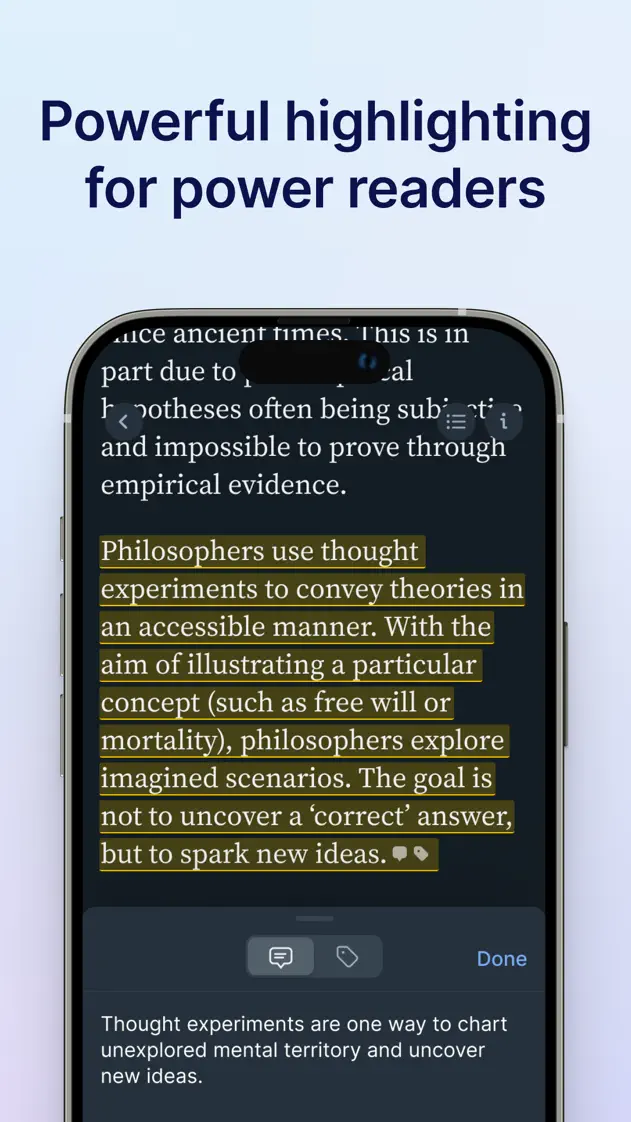
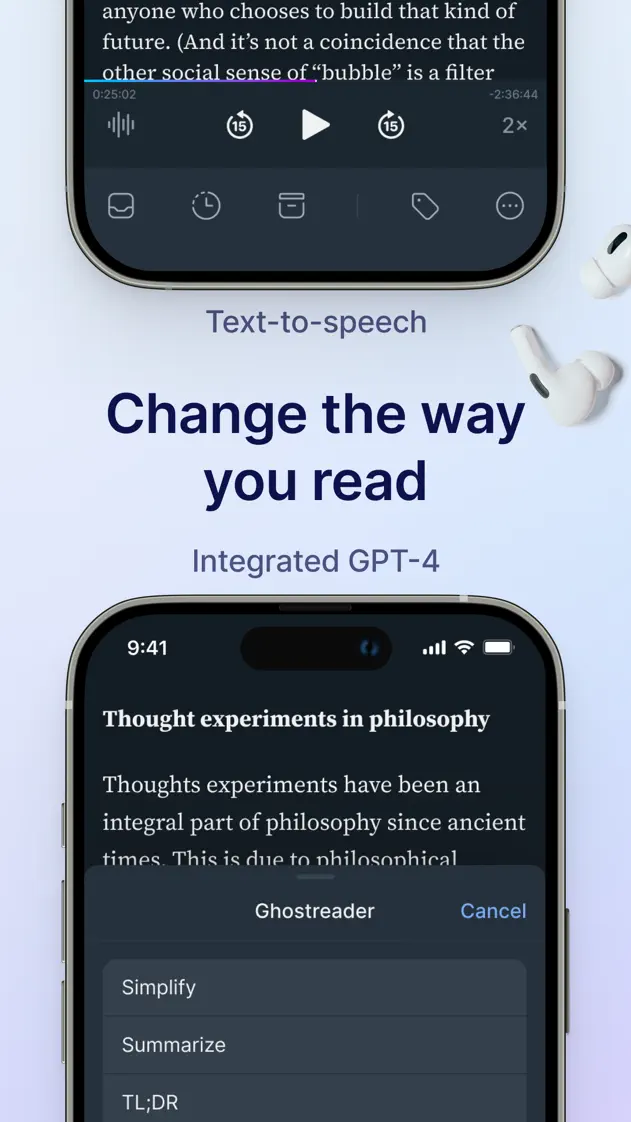
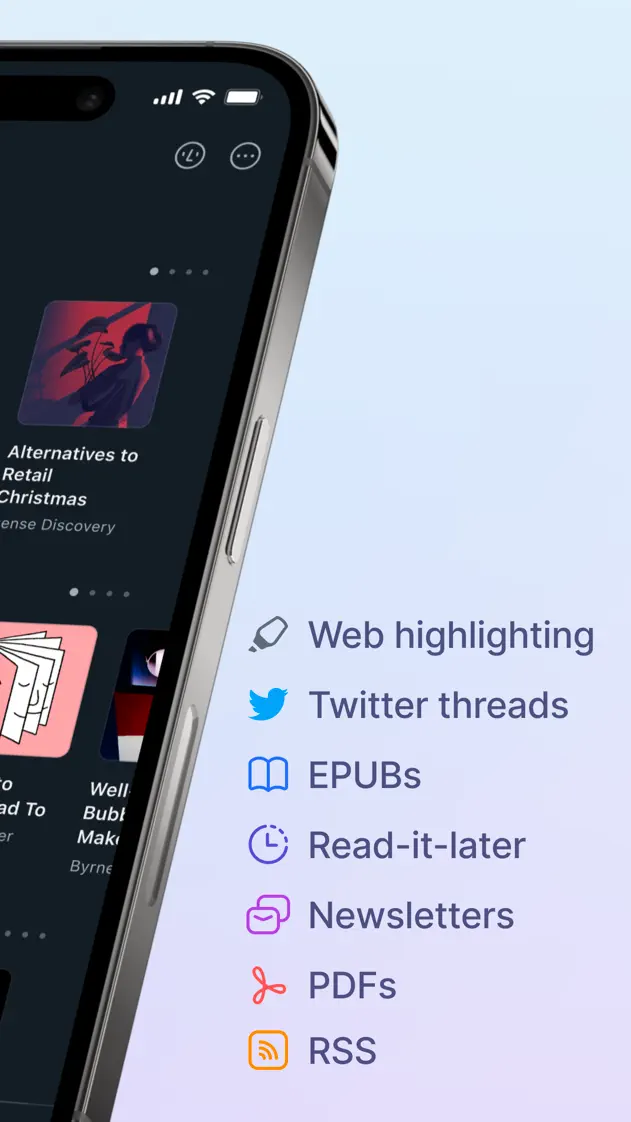
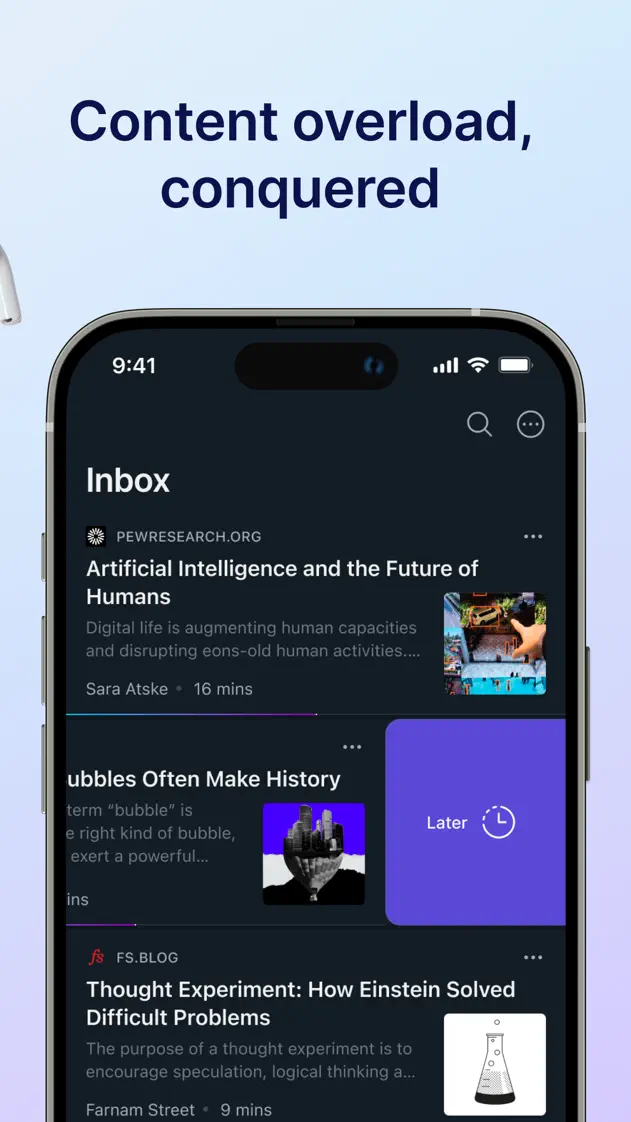
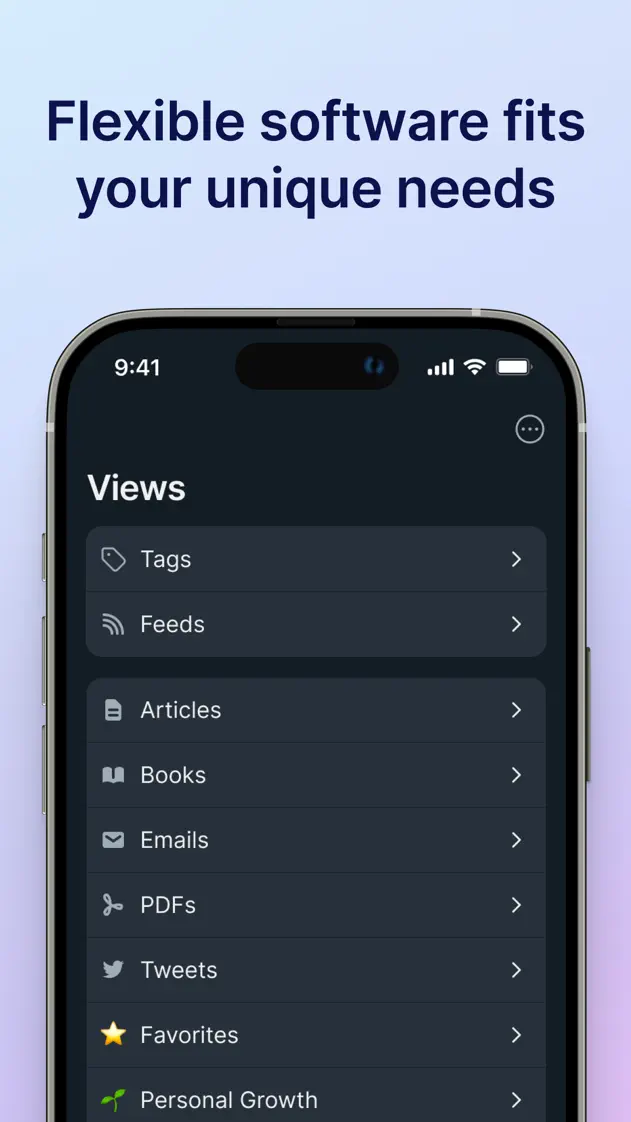
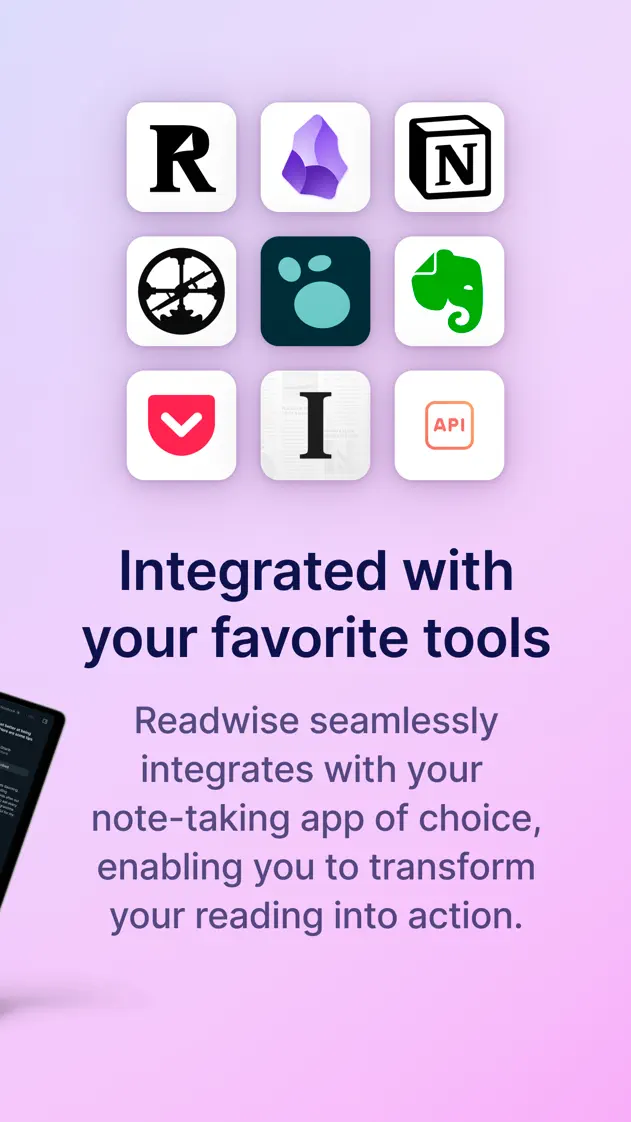
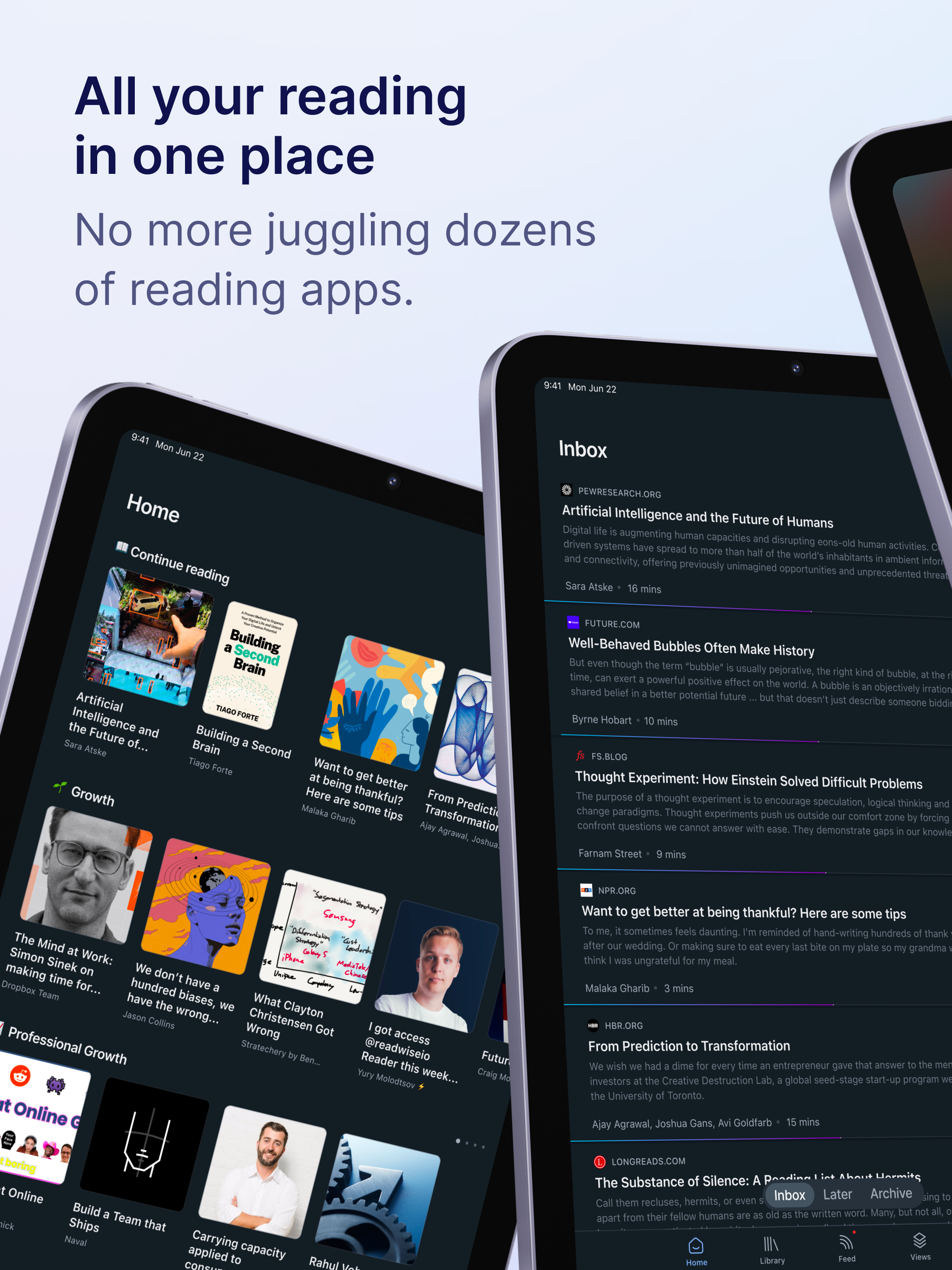
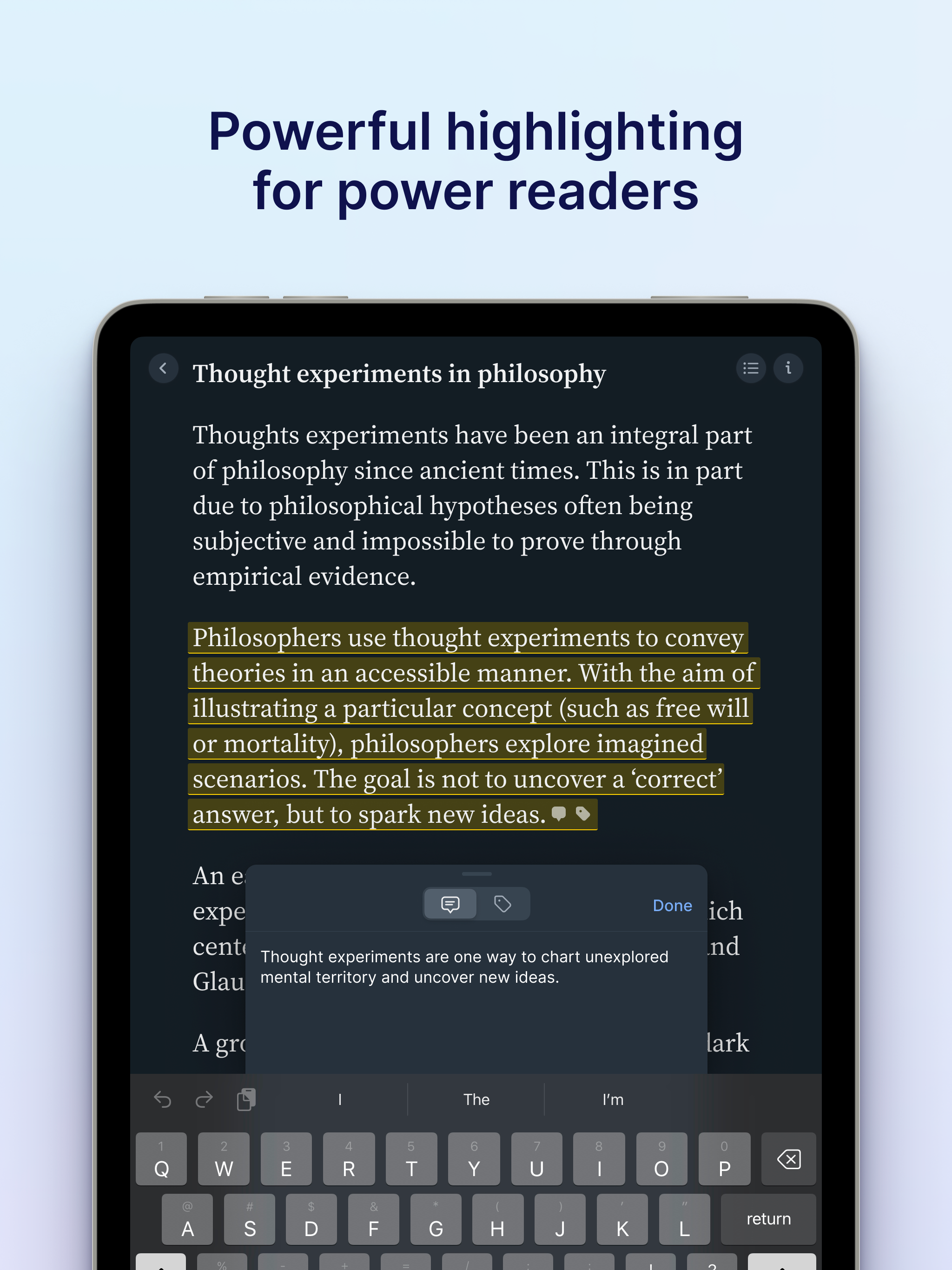
Soft blue-to-lilac gradients frame tilted and upright dark-mode phones, closing with a multi-device scene and a grid of integration icons.




- Category
- Productivity
- Publisher
- Readwise, Inc
- Version
- 8.31
- Approach
- Interface-led
What’s New
8.31
Improved iPhone Duo Support — Reader now fits the iPhone Duo, folded or open. Hold the open Duo like a book and choose Horizontal pagination to read two columns with the gap on the fold. It also now uses natural page-flip animations in Horizontal mode, which make the Duo feel even more like holding a paper book.
Sleep Timer — You can now set a sleep timer for text to speech. Tap the moon in the Speed sheet and choose how long to listen, and playback pauses on its own when time is up.
Text Width on iPhone — The Text width setting in the Appearance sheet now shows up on phones too, so you can choose how wide your lines run.
Smoother Sheets — Tags, notes, search, document actions, and the rest of the reading view's sheets are now native iOS sheets, so they open, drag, and close more smoothly.
Better EPUB Images — Images in EPUBs now hold their space while they load and fit on the page, and small illustrations no longer render far too large.
New Ghostreader Models — If you bring your own OpenAI key, you can now choose GPT-6.1 Sol, GPT-6.1 Terra, or GPT-6 Astra. Ghostreader chat also no longer stalls when someone else's answer is slow.
Dozens and dozens of new bug fixes — italic text in EPUBs shows in italics again, YouTube videos no longer go black (audio only) after swiping to the next document, Lifelike voices keep an even volume and the German ones are now native speakers, podcast transcripts keep names and timestamps right, and literally dozens more: see https://docs.readwise.io/changelog for our full changelog.
Previously:
New Lifelike Text to Speech Voices — You can now listen to your documents with new, much more lifelike voices. You have 16 voice options for English documents (choose your favorite), and we just added support for Arabic, Chinese, Dutch, French, German, Hebrew, Hindi, Italian, Japanese, Korean, Polish, Portuguese, Russian, and Spanish as well.
Reading Themes — You can now choose from a variety of different reading themes, including Sepia, Slate, Soft, Ink, and more.
Other Text to Speech Improvements — Precise Listening Speed: drag a slider to set any playback speed from 0.5x to 3x, or tap a preset. The voice picker also has a full "View all languages" list now. Controls now live in a floating player that shrinks into a small pill as you scroll, so play, pause, and skip are always one tap away without covering what you're reading. Listening now starts where you're reading instead of jumping to the top. Finally, footnote numbers should no longer be read aloud.
YouTube Chapters — Newly saved YouTube videos now show their chapters in the Contents panel, so you can jump straight to any section.
Cleaner, Faster YouTube Transcripts — Enhanced YouTube transcripts now arrive more than twice as fast, keep every word and timestamp, and leave out the "uh"s, "um"s, and stutters.
Mobile Chat — The long awaited “chat with document” feature is now available on mobile. Intuitively ask any question while reading and receive a fast, accurate answer that will link to the cited text in the document. Ghostreader is also aware of your position and context while reading -- it’s like a smart friend reading over your shoulder that you can ask questions. To try it, just trigger Ghostreader while reading.
Better Search (beta) — There is now a toggle on the Search screen to enable our new server-based search that runs both more quickly, accurately, consistently, and takes much less time to index all of your documents (compared with our old local-first search).
Readwise MCP & CLI — The (new, improved) Readwise MCP server gives Claude, ChatGPT, Cursor, or any MCP-compatible AI direct access to your Readwise highlights, and the full text of all your Reader documents.
Podcast Transcripts — share any podcast episode from Apple Podcasts, Spotify, or Overcast into Reader, and it will be saved as a permanent, highlightable transcript.
8.28
Improved iPhone Duo Support — Reader now fits the iPhone Duo, folded or open. Hold the open Duo like a book and choose Horizontal pagination to read two columns with the gap on the fold.
Text Width on iPhone — The Text width setting in the Appearance sheet now shows up on phones too, so you can choose how wide your lines run.
Smoother Sheets — Tags, notes, search, document actions, and the rest of the reading view's sheets are now native iOS sheets, so they open, drag, and close more smoothly.
Better EPUB Images — Images in EPUBs now hold their space while they load and fit on the page, and small illustrations no longer render far too large.
New Ghostreader Models — If you bring your own OpenAI key, you can now choose GPT-6.1 Sol, GPT-6.1 Terra, or GPT-6 Astra. Ghostreader chat also no longer stalls when someone else's answer is slow.
Dozens and dozens of new bug fixes — italic text in EPUBs shows in italics again, YouTube videos no longer go black (audio only) after swiping to the next document, Lifelike voices keep an even volume and the German ones are now native speakers, podcast transcripts keep names and timestamps right, and literally dozens more: see https://docs.readwise.io/changelog for our full changelog.
Previously:
New Lifelike Text to Speech Voices — You can now listen to your documents with new, much more lifelike voices. You have 16 voice options for English documents (choose your favorite), and we just added support for Arabic, Chinese, Dutch, French, German, Hebrew, Hindi, Italian, Japanese, Korean, Polish, Portuguese, Russian, and Spanish as well.
Reading Themes — You can now choose from a variety of different reading themes, including Sepia, Slate, Soft, Ink, and more.
Other Text to Speech Improvements — Precise Listening Speed: drag a slider to set any playback speed from 0.5x to 3x, or tap a preset. The voice picker also has a full "View all languages" list now. Controls now live in a floating player that shrinks into a small pill as you scroll, so play, pause, and skip are always one tap away without covering what you're reading. Listening now starts where you're reading instead of jumping to the top. Finally, footnote numbers should no longer be read aloud.
YouTube Chapters — Newly saved YouTube videos now show their chapters in the Contents panel, so you can jump straight to any section.
Cleaner, Faster YouTube Transcripts — Enhanced YouTube transcripts now arrive more than twice as fast, keep every word and timestamp, and leave out the "uh"s, "um"s, and stutters.
Mobile Chat — The long awaited “chat with document” feature is now available on mobile. Intuitively ask any question while reading and receive a fast, accurate answer that will link to the cited text in the document. Ghostreader is also aware of your position and context while reading -- it’s like a smart friend reading over your shoulder that you can ask questions. To try it, just trigger Ghostreader while reading.
Better Search (beta) — There is now a toggle on the Search screen to enable our new server-based search that runs both more quickly, accurately, consistently, and takes much less time to index all of your documents (compared with our old local-first search).
Readwise MCP & CLI — The (new, improved) Readwise MCP server gives Claude, ChatGPT, Cursor, or any MCP-compatible AI direct access to your Readwise highlights, and the full text of all your Reader documents.
Podcast Transcripts — share any podcast episode from Apple Podcasts, Spotify, or Overcast into Reader, and it will be saved as a permanent, highlightable transcript.
8.27
Preliminary iPhone Duo Support — A bunch of improvements to make the app feel more native on the new iPhone Duo devices: two column reading view when expanded, no more weird intersections of UI with the right status bar, menus where Apple suggests them to be, etc. We're not finished here yet, and intend to make a lot more improvements to how Reader feels on Duo, but wanted to at least get the app feeling natural!
New Lifelike Text to Speech Voices — You can now listen to your documents with new, much more lifelike voices. You have 16 voice options for English documents (choose your favorite), and we just added support for Arabic, Chinese, Dutch, French, German, Hebrew, Hindi, Italian, Japanese, Korean, Polish, Portuguese, Russian, and Spanish as well.
Reading Themes — You can now choose from a variety of different reading themes, including Sepia, Slate, Soft, Ink, and more.
Other Text to Speech Improvements — Precise Listening Speed: drag a slider to set any playback speed from 0.5x to 3x, or tap a preset. The voice picker also has a full "View all languages" list now. Controls now live in a floating player that shrinks into a small pill as you scroll, so play, pause, and skip are always one tap away without covering what you're reading. Listening now starts where you're reading instead of jumping to the top. Finally, footnote numbers should no longer be read aloud.
YouTube Chapters — Newly saved YouTube videos now show their chapters in the Contents panel, so you can jump straight to any section.
Cleaner, Faster YouTube Transcripts — Enhanced YouTube transcripts now arrive more than twice as fast, keep every word and timestamp, and leave out the "uh"s, "um"s, and stutters.
Better Article Extraction — When Reader's usual parser only captures part of an article, it now falls back to its own extraction to get you the full text. We've also fixed parsing for dozens more domains.
Dozens and dozens of new bug fixes — articles with clickable graphics no longer open to a blank page on iPhone and iPad, a single bad change no longer blocks syncing, pages no longer get stuck turning into a new chapter in paginated mode, older articles that were cut off after an image have their full text back, collapsible sections now expand on mobile, swiping the modern toolbar to the next document works on iPad, the Lookup sheet no longer jumps while it loads, and literally dozens more: see https://docs.readwise.io/changelog for our full changelog.
Previously:
GPT-6 Luna For Ghostreader Summaries — Upgraded Ghostreader’s default model for preset prompts, including the automatic summary and document tagging, so they’re now powered by GPT-6 Luna. As with previous default models, this is included with your Reader subscription.
Faster Heavily Highlighted Books — Books with lots of highlights now open much faster.
Mobile Chat — The long awaited “chat with document” feature is now available on mobile. Intuitively ask any question while reading and receive a fast, accurate answer that will link to the cited text in the document. Ghostreader is also aware of your position and context while reading -- it’s like a smart friend reading over your shoulder that you can ask questions. To try it, just trigger Ghostreader while reading.
Upload Markdown — You can now upload markdown documents to Reader.
Better Search (beta) — There is now a toggle on the Search screen to enable our new server-based search that runs both more quickly, accurately, consistently, and takes much less time to index all of your documents (compared with our old local-first search).
Readwise MCP & CLI — The (new, improved) Readwise MCP server gives Claude, ChatGPT, Cursor, or any MCP-compatible AI direct access to your Readwise highlights, and the full text of all your Reader documents.
Podcast Transcripts — share any podcast episode from Apple Podcasts, Spotify, or Overcast into Reader, and it will be saved as a permanent, highlightable transcript.
8.26
Preliminary iPhone Duo Support — A bunch of improvements to make the app feel more native on the new iPhone Duo devices: two column reading view when expanded, no more weird intersections of UI with the right status bar, menus where Apple suggests them to be, etc. We're not finished here yet, and intend to make a lot more improvements to how Reader feels on Duo, but wanted to at least get the app feeling natural!
New Lifelike Text to Speech Voices — You can now listen to your documents with new, much more lifelike voices. You have 16 voice options for English documents (choose your favorite), and we just added support for Arabic, Chinese, Dutch, French, German, Hebrew, Hindi, Italian, Japanese, Korean, Polish, Portuguese, Russian, and Spanish as well.
Reading Themes — You can now choose from a variety of different reading themes, including Sepia, Slate, Soft, Ink, and more.
Other Text to Speech Improvements — Precise Listening Speed: drag a slider to set any playback speed from 0.5x to 3x, or tap a preset. The voice picker also has a full "View all languages" list now. Controls now live in a floating player that shrinks into a small pill as you scroll, so play, pause, and skip are always one tap away without covering what you're reading. Listening now starts where you're reading instead of jumping to the top. Finally, footnote numbers should no longer be read aloud.
YouTube Chapters — Newly saved YouTube videos now show their chapters in the Contents panel, so you can jump straight to any section.
Cleaner, Faster YouTube Transcripts — Enhanced YouTube transcripts now arrive more than twice as fast, keep every word and timestamp, and leave out the "uh"s, "um"s, and stutters.
Better Article Extraction — When Reader's usual parser only captures part of an article, it now falls back to its own extraction to get you the full text. We've also fixed parsing for dozens more domains.
Dozens and dozens of new bug fixes — articles with clickable graphics no longer open to a blank page on iPhone and iPad, a single bad change no longer blocks syncing, pages no longer get stuck turning into a new chapter in paginated mode, older articles that were cut off after an image have their full text back, collapsible sections now expand on mobile, swiping the modern toolbar to the next document works on iPad, the Lookup sheet no longer jumps while it loads, and literally dozens more: see https://docs.readwise.io/changelog for our full changelog.
Previously:
GPT-6 Luna For Ghostreader Summaries — Upgraded Ghostreader’s default model for preset prompts, including the automatic summary and document tagging, so they’re now powered by GPT-6 Luna. As with previous default models, this is included with your Reader subscription.
Faster Heavily Highlighted Books — Books with lots of highlights now open much faster.
Mobile Chat — The long awaited “chat with document” feature is now available on mobile. Intuitively ask any question while reading and receive a fast, accurate answer that will link to the cited text in the document. Ghostreader is also aware of your position and context while reading -- it’s like a smart friend reading over your shoulder that you can ask questions. To try it, just trigger Ghostreader while reading.
Upload Markdown — You can now upload markdown documents to Reader.
Better Search (beta) — There is now a toggle on the Search screen to enable our new server-based search that runs both more quickly, accurately, consistently, and takes much less time to index all of your documents (compared with our old local-first search).
Readwise MCP & CLI — The (new, improved) Readwise MCP server gives Claude, ChatGPT, Cursor, or any MCP-compatible AI direct access to your Readwise highlights, and the full text of all your Reader documents.
Podcast Transcripts — share any podcast episode from Apple Podcasts, Spotify, or Overcast into Reader, and it will be saved as a permanent, highlightable transcript.
8.25
New Text to Speech Voices — We are rolling out new (much more lifelike) voices in beta! They will eventually be updated to be the default voices, but in the mean time you can choose your favorite from the TTS voice selection sheet.
Reading Themes — You can now choose from a variety of different reading themes, including Sepia, Slate, Soft, Ink, and more.
GPT-6 Luna For Ghostreader Summaries — Tristan and Ibai upgraded Ghostreader’s default model for preset prompts, including the automatic summary and document tagging, so they’re now powered by GPT-6 Luna. As with previous default models, this is included with your Reader subscription.
YouTube Chapters — Newly saved YouTube videos now show their chapters in the Contents panel, so you can jump straight to any section.
Faster Heavily Highlighted Books — Books with lots of highlights now open much faster.
Dozens and dozens of new bug fixes — PDF dark mode no longer resets when you open a sidebar, large PDFs download reliably, EPUB tables of contents stay correct when you switch books, bracketed tag names no longer crash the app, "Save to" no longer crashes with long book lists, highlights made across links and line breaks anchor correctly, swiping through your feed no longer skips articles, text-to-speech handles plain-text feed items better, tags and text scale with larger system font sizes, and Ghostreader prompts now apply their changes properly.... and so much more.
Previously:
Mobile Chat — The long awaited “chat with document” feature is now available on mobile. Intuitively ask any question while reading and receive a fast, accurate answer that will link to the cited text in the document. Ghostreader is also aware of your position and context while reading -- it’s like a smart friend reading over your shoulder that you can ask questions. To try it, just trigger Ghostreader while reading.
Modern Toolbar — We’re also introducing a new mobile toolbar in the reading view! You can enable it in the app from your settings at Account > “Modern Toolbar”. The new toolbar allows you to quickly access ghostreader (in one tap), gives you more easy access to delete documents, and allows you to jump to the previous/next documents without needing to leave the reading view. Of course, if you prefer the existing toolbar, we have preserved that option as well.
Upload Markdown — You can now upload markdown documents to Reader.
Better Search (beta) — There is now a toggle on the Search screen to enable our new server-based search that runs both more quickly, accurately, consistently, and takes much less time to index all of your documents (compared with our old local-first search).
Lookup in Reader — Reader now has a dedicated way to look things up without leaving the page. Easily select (long press) any word or phrase and Reader explains it right away in a dedicated lookup panel. For stand words/terms, get standard definitions, or when you select a term (or name) unique to the document, get the definition the way the author uses it. If you want to revert to the old selection behavior, there is a new option to do that too.
Readwise MCP & CLI — The (new, improved) Readwise MCP server gives Claude, ChatGPT, Cursor, or any MCP-compatible AI direct access to your Readwise highlights, and the full text of all your Reader documents. Once connected, you can ask your AI to search your notes, answer questions using your own reading history as context, or even make changes to your Reader library for you. We also pre-built AI workflows like inbox triage, feed catchup, a custom book review that is aware of related context in your vault, and a quiz mode for testing yourself on recent reads.
Podcast Transcripts — share any podcast episode from Apple Podcasts, Spotify, or Overcast into Reader, and it will be saved as a permanent, highlightable transcript.
8.23
New Text to Speech Voices — We are rolling out new (much more lifelike) voices in beta! They will eventually be updated to be the default voices, but in the mean time you can choose your favorite from the TTS voice selection sheet.
Reading Themes — You can now choose from a variety of different reading themes, including Sepia, Slate, Soft, Ink, and more.
GPT-6 Luna For Ghostreader Summaries — Tristan and Ibai upgraded Ghostreader’s default model for preset prompts, including the automatic summary and document tagging, so they’re now powered by GPT-6 Luna. As with previous default models, this is included with your Reader subscription.
YouTube Chapters — Newly saved YouTube videos now show their chapters in the Contents panel, so you can jump straight to any section.
Faster Heavily Highlighted Books — Books with lots of highlights now open much faster.
Dozens and dozens of new bug fixes — PDF dark mode no longer resets when you open a sidebar, large PDFs download reliably, EPUB tables of contents stay correct when you switch books, bracketed tag names no longer crash the app, "Save to" no longer crashes with long book lists, highlights made across links and line breaks anchor correctly, swiping through your feed no longer skips articles, text-to-speech handles plain-text feed items better, tags and text scale with larger system font sizes, and Ghostreader prompts now apply their changes properly.... and so much more.
Previously:
Mobile Chat — The long awaited “chat with document” feature is now available on mobile. Intuitively ask any question while reading and receive a fast, accurate answer that will link to the cited text in the document. Ghostreader is also aware of your position and context while reading -- it’s like a smart friend reading over your shoulder that you can ask questions. To try it, just trigger Ghostreader while reading.
Modern Toolbar — We’re also introducing a new mobile toolbar in the reading view! You can enable it in the app from your settings at Account > “Modern Toolbar”. The new toolbar allows you to quickly access ghostreader (in one tap), gives you more easy access to delete documents, and allows you to jump to the previous/next documents without needing to leave the reading view. Of course, if you prefer the existing toolbar, we have preserved that option as well.
Upload Markdown — You can now upload markdown documents to Reader.
Better Search (beta) — There is now a toggle on the Search screen to enable our new server-based search that runs both more quickly, accurately, consistently, and takes much less time to index all of your documents (compared with our old local-first search).
Lookup in Reader — Reader now has a dedicated way to look things up without leaving the page. Easily select (long press) any word or phrase and Reader explains it right away in a dedicated lookup panel. For stand words/terms, get standard definitions, or when you select a term (or name) unique to the document, get the definition the way the author uses it. If you want to revert to the old selection behavior, there is a new option to do that too.
Readwise MCP & CLI — The (new, improved) Readwise MCP server gives Claude, ChatGPT, Cursor, or any MCP-compatible AI direct access to your Readwise highlights, and the full text of all your Reader documents. Once connected, you can ask your AI to search your notes, answer questions using your own reading history as context, or even make changes to your Reader library for you. We also pre-built AI workflows like inbox triage, feed catchup, a custom book review that is aware of related context in your vault, and a quiz mode for testing yourself on recent reads.
Podcast Transcripts — share any podcast episode from Apple Podcasts, Spotify, or Overcast into Reader, and it will be saved as a permanent, highlightable transcript.
8.20
Mobile Chat — The long awaited “chat with document” feature is now available on mobile. Intuitively ask any question while reading and receive a fast, accurate answer that will link to the cited text in the document. Ghostreader is also aware of your position and context while reading -- it’s like a smart friend reading over your shoulder that you can ask questions. To try it, just trigger Ghostreader while reading.
Modern Toolbar — We’re also introducing a new mobile toolbar in the reading view! You can enable it in the app from your settings at Account > “Modern Toolbar”. The new toolbar allows you to quickly access ghostreader (in one tap), gives you more easy access to delete documents, and allows you to jump to the previous/next documents without needing to leave the reading view. Of course, if you prefer the existing toolbar, we have preserved that option as well.
Upload Markdown — You can now upload markdown documents to Reader.
GPT-5.6 Support — If you bring your own OpenAI API key for custom Ghostreader prompts, you can now use GPT-5.6: Sol, Terra, and Luna.
Better Search (beta) — There is now a toggle on the Search screen to enable our new server-based search that runs both more quickly, accurately, consistently, and takes much less time to index all of your documents (compared with our old local-first search).
Lookup in Reader — Reader now has a dedicated way to look things up without leaving the page. Easily select (long press) any word or phrase and Reader explains it right away in a dedicated lookup panel. For stand words/terms, get standard definitions, or when you select a term (or name) unique to the document, get the definition the way the author uses it. If you want to revert to the old selection behavior, there is a new option to do that too.
Previously:
Fixed Feed Email Attachments — Rasul fixed a bug where emailing a PDF or EPUB to your Reader email address discarded the email body.
Fixed Twitter Video on iOS — Krzys fixed an iOS bug where the first tap on a Twitter video in Reader did nothing, requiring a pause-then-play to unblock it. Videos now start on the first tap on iOS, matching the behavior on every other platform.
Parsing Updates — Krzys improved how Reader handles documents from The Verge, Reuters, Substack, and Medium, and now routes X.com /article/ links through the Twitter parser so long-form X posts come through cleanly.
Core libraries update — We've updated many of the core libraries that support Reader, which should result in a more native-feeling experience, many fewer bugs, and faster performance!
Readwise MCP & CLI — The (new, improved) Readwise MCP server gives Claude, ChatGPT, Cursor, or any MCP-compatible AI direct access to your Readwise highlights, and the full text of all your Reader documents. Once connected, you can ask your AI to search your notes, answer questions using your own reading history as context, or even make changes to your Reader library for you. We also pre-built AI workflows like inbox triage, feed catchup, a custom book review that is aware of related context in your vault, and a quiz mode for testing yourself on recent reads.
Improved Reading Progress — Artem and Lior enhanced the reading progress modal for EPUBs to show more detail at a glance. You can now choose between percent, page number, time left in chapter, time left in book, or hidden and each option previews the current value right in the picker.
Restore All from Trash — Mati added a "Restore All" button to the trash view on both web and mobile.
Podcast Transcripts — share any podcast episode from Apple Podcasts, Spotify, or Overcast into Reader, and it will be saved as a permanent, highlightable transcript.
Better Offline Control — Choose which categories of documents to keep available offline from the offline documents section of the Account screen. A new status shows whether a location is currently downloading.
8.19
Mobile Chat — The long awaited “chat with document” feature is now available on mobile. Intuitively ask any question while reading and receive a fast, accurate answer that will link to the cited text in the document. Ghostreader is also aware of your position and context while reading -- it’s like a smart friend reading over your shoulder that you can ask questions. To try it, just trigger Ghostreader while reading.
Modern Toolbar — We’re also introducing a new mobile toolbar in the reading view! You can enable it in the app from your settings at Account > “Toolbar layout”. The new toolbar allows you to quickly access ghostreader (in one tap), gives you more easy access to delete documents, and allows you to jump to the previous/next documents without needing to leave the reading view. Of course, if you prefer the existing toolbar, we have preserved that option as well.
Upload Markdown — You can now upload markdown documents to Reader.
GPT-5.6 Support — If you bring your own OpenAI API key for custom Ghostreader prompts, you can now use GPT-5.6: Sol, Terra, and Luna.
Better Search (beta) — There is now a toggle on the Search screen to enable our new server-based search that runs both more quickly, accurately, consistently, and takes much less time to index all of your documents (compared with our old local-first search).
Lookup in Reader — Reader now has a dedicated way to look things up without leaving the page. Easily select (long press) any word or phrase and Reader explains it right away in a dedicated lookup panel. For stand words/terms, get standard definitions, or when you select a term (or name) unique to the document, get the definition the way the author uses it. If you want to revert to the old selection behavior, there is a new option to do that too.
Previously:
Fixed Feed Email Attachments — Rasul fixed a bug where emailing a PDF or EPUB to your Reader email address discarded the email body.
Fixed Twitter Video on iOS — Krzys fixed an iOS bug where the first tap on a Twitter video in Reader did nothing, requiring a pause-then-play to unblock it. Videos now start on the first tap on iOS, matching the behavior on every other platform.
Parsing Updates — Krzys improved how Reader handles documents from The Verge, Reuters, Substack, and Medium, and now routes X.com /article/ links through the Twitter parser so long-form X posts come through cleanly.
Core libraries update — We've updated many of the core libraries that support Reader, which should result in a more native-feeling experience, many fewer bugs, and faster performance!
Readwise MCP & CLI — The (new, improved) Readwise MCP server gives Claude, ChatGPT, Cursor, or any MCP-compatible AI direct access to your Readwise highlights, and the full text of all your Reader documents. Once connected, you can ask your AI to search your notes, answer questions using your own reading history as context, or even make changes to your Reader library for you. We also pre-built AI workflows like inbox triage, feed catchup, a custom book review that is aware of related context in your vault, and a quiz mode for testing yourself on recent reads.
Improved Reading Progress — Artem and Lior enhanced the reading progress modal for EPUBs to show more detail at a glance. You can now choose between percent, page number, time left in chapter, time left in book, or hidden and each option previews the current value right in the picker.
Restore All from Trash — Mati added a "Restore All" button to the trash view on both web and mobile.
Podcast Transcripts — share any podcast episode from Apple Podcasts, Spotify, or Overcast into Reader, and it will be saved as a permanent, highlightable transcript.
Better Offline Control — Choose which categories of documents to keep available offline from the offline documents section of the Account screen. A new status shows whether a location is currently downloading.
Listing history
New icon
New icon
New icon
New icon
New icon
New icon
Compare with


Browse similar
Source: App Store listing by Readwise, Inc, United States storefront. Captured 26 Nov 2026. The artwork belongs to its publisher and is shown here for reference.