
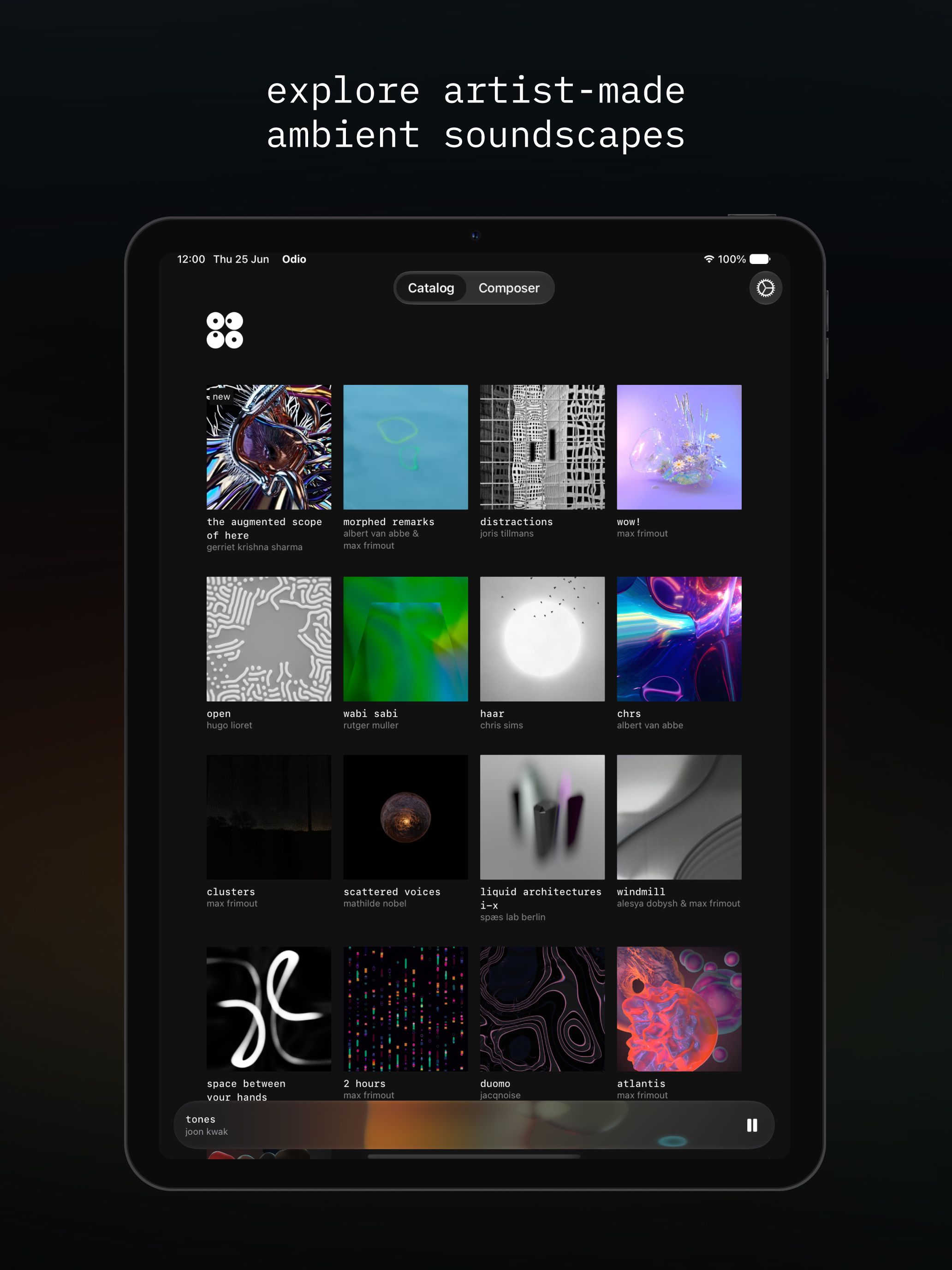
Photography of listening gives way to dark screens, sound sculptures and compact monospaced captions.






- Category
- Music
- Publisher
- Odio Media
- Version
- 2.7.0
- Approach
- Photography-led
What’s New
2.7.0
Odio now adapts to iPhone Duo, keeping the soundstage and controls comfortably within reach as you fold or rotate your device. We’ve also refined player layouts for smaller windows and improved artwork on album and subscription pages.
2.6.0
A major update to how you listen, shape, and create spatial soundscapes.
- New on iOS 27: Siri AI can play soundscapes and albums by name, or find something suited to a mood or listening purpose. Albums and soundscapes can also appear in Spotlight.
- Shortcuts can now play a soundscape or set, change, and cancel Odio’s Sleep Timer.
- The widget is more capable on iOS 27, with Play and Pause controls directly on your Home Screen.
- A redesigned player and soundstage bring clearer spatial positioning, a more dimensional listener, improved sound browsing, and responsive layouts for iPad and landscape.
- Lock Screen and system media controls now represent Odio’s continuous soundscapes and playback state more accurately.
- Share Odio, albums, and soundscapes with others from inside the app.
- Composer is available on the free tier, with one project, three soundscapes, and unlimited sounds.
- The Last Soundscape Home Screen action makes it easier to return to your previous soundscape.
- Playback is more reliable when audio is interrupted, the app resumes, or sounds change.
- SharePlay has been retired.
- Many smaller improvements make listening, shaping, and creating feel clearer and more responsive.
2.5.2
Playback is now more reliable when resuming, switching soundscapes, or returning after an interruption.
Head Tracking setup and recovery are clearer, while refined player controls and layouts make Odio feel more natural across iPhone and iPad.
This update also brings smoother soundstage interactions, improved onboarding and translations, and fixes throughout the app.
2.5.1
Playback is now more reliable when resuming, switching soundscapes, or returning after an interruption.
Head Tracking setup and recovery are clearer, while refined player controls and layouts make Odio feel more natural across iPhone and iPad.
This update also brings smoother soundstage interactions, improved onboarding and translations, and fixes throughout the app.
2.5.0
Playback is now more reliable when resuming, switching soundscapes, or returning after an interruption.
Head Tracking setup and recovery are clearer, while refined player controls and layouts make Odio feel more natural across iPhone and iPad.
This update also brings smoother soundstage interactions, improved onboarding and translations, and fixes throughout the app.
2.4.0
Odio can now play alongside music, podcasts, and other audio with Background Playback.
The soundstage now responds to each sound in real time, making your spatial mix feel more alive as you listen and shape it.
A new Storage section shows how much space downloads and Composer projects use, with simple controls to free up space.
This update also brings smoother player controls, easier ways to reset soundscapes and acoustic settings, clearer copy, and improvements to accessibility and playback reliability.
2.3.3
Odio has been redesigned with Liquid Glass, bringing a softer, clearer interface across the app.
Catalog is simpler now: Favorites and Sessions live inside the Catalog tab, alongside albums and soundscapes.
Composer recording has also been rebuilt with live waveforms, preview and trimming controls, and a cleaner flow for turning your own audio into spatial soundscapes.
This update also improves spatial audio rendering, adds a new Odio widget, expands language support to Arabic, Danish, Greek, Finnish, Filipino, Hebrew, Hindi, Indonesian, Malay, Polish, Brazilian Portuguese, Swedish, Thai, Vietnamese, and Chinese for Hong Kong, and includes reliability fixes throughout the app.
2.3.2
Odio has been redesigned with Liquid Glass, bringing a softer, clearer interface across the app.
Catalog is simpler now: Favorites and Sessions live inside the Catalog tab, alongside albums and soundscapes.
Composer recording has also been rebuilt with live waveforms, preview and trimming controls, and a cleaner flow for turning your own audio into spatial soundscapes.
This update also improves spatial audio rendering, adds a new Odio widget, expands language support to Arabic, Danish, Greek, Finnish, Filipino, Hebrew, Hindi, Indonesian, Malay, Polish, Brazilian Portuguese, Swedish, Thai, Vietnamese, and Chinese for Hong Kong, and includes reliability fixes throughout the app.
Listing history
New icon
Compare with


Browse similar
Source: App Store listing by Odio Media, United States storefront. Captured 26 Nov 2026. The artwork belongs to its publisher and is shown here for reference.