
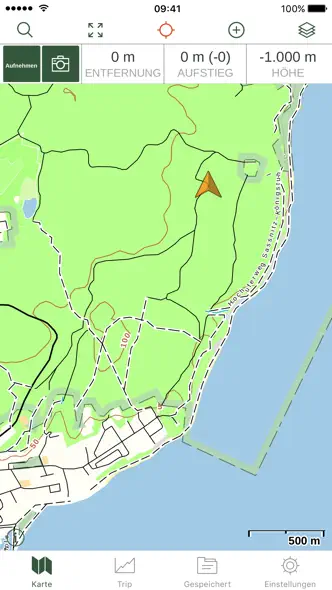
A hiker photograph opens a dark sequence of topographic line backgrounds, green headlines and map panels enlarged beyond the phones.


- Category
- Navigation
- Publisher
- TrailBehind
- Version
- 2026.6
- Approach
- Photography-led
Around the world
More localized listings →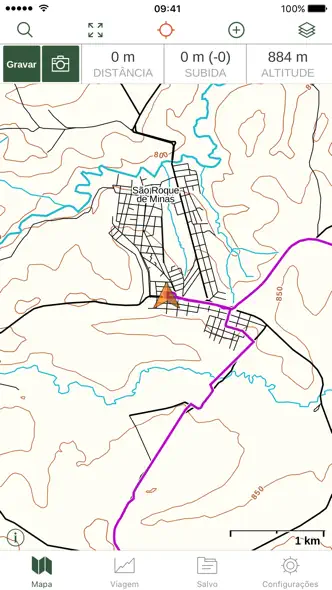




What’s New
2026.6
Gaia GPS Version 2026.6 Release Notes
What’s New
UI Updates for Apple's Liquid Glass interface
Bug Fixes
- Fix a crash when tapping on map information
- Clarify region coverage when downloading offline maps
- Update our help system and manuals to be easier to use
2026.5.1
Gaia GPS Version 2026.5.1 Release Notes
What’s New
A quick maintenance release. We tracked down a handful of stability issues and cleaned them up so the app holds steady out in the field.
Bug Fixes
Fixed an issue where saved items could become inaccessible.
Fixed a crash while downloading maps.
Fixed a crash when tapping items in the search drawer.
Clarified region coverage for offline maps.
Fixed a data storage issue that could lead to a crash.
2026.5
Gaia GPS Version 2026.5 Release Notes
What’s New
New Lockscreen Live Tiles — now you can see your recording distance and time without unlocking your phone!
Bug Fixes - we went deep into the woods and looked under every rock to fix as many bugs and issues as we can. The app should be a much smoother experience for all your outdoor activities and keep you on trail.
New Activities - We've added new categories for the cool kids. Now you can tag your tracks with E-Biking and Birding.
2026.4.3
Gaia GPS Version 2026.4.3 Release Notes
What’s New
Meet Adventure Modes — the fastest way to get the right map for what you're doing. Tap Hike and you're looking at trails, terrain shading, and topo. Tap Off-Road and your road conditions, coverage maps, and overlays are ready. Tap Snow and avalanche zones and snowpack layers are front and center.
We built this because configuring Gaia GPS from scratch every time you switch activities shouldn't be part of the adventure. Pick your mode, get outside.
2026.4.2
Gaia GPS Version 2026.4.2 Release Notes
What’s New
Meet Adventure Modes — the fastest way to get the right map for what you're doing. Tap Hike and you're looking at trails, terrain shading, and topo. Tap Off-Road and your road conditions, coverage maps, and overlays are ready. Tap Snow and avalanche zones and snowpack layers are front and center.
We built this because configuring Gaia GPS from scratch every time you switch activities shouldn't be part of the adventure. Pick your mode, get outside.
2026.4.01
Gaia GPS Version 2026.4.01 Release Notes
What’s New
Reliability improvements, bug fixes, and a little behind-the-scenes work to set the stage for the next big thing coming to Gaia GPS. We think you're going to like it.
Bug Fixes
Fixed an issue where users could try to share items before they were synced to the server
2026.4
Gaia GPS Version 2026.4 Release Notes
What’s New
Meet Adventure Modes — the fastest way to get the right map for what you're doing. Tap Hike and you're looking at trails, terrain shading, and topo. Tap Off-Road and your road conditions, coverage maps, and overlays are ready. Tap Snow and avalanche zones and snowpack layers are front and center.
We built this because configuring Gaia GPS from scratch every time you switch activities shouldn't be part of the adventure. Pick your mode, get outside.
Bug Fixes
Fixed an issue where users could try to share items before they were synced to the server
2026.2
Gaia GPS Version 2026.2 Release Notes
What’s New
This release smooths out a few rough edges so things stay on track while you’re navigating.
Bug Fixes
Fixed an issue where the distance grid wasn’t showing on the map
Fixed the compass so it’s tappable again and reliably points north
Fixed a layout issue in Advanced Settings so buttons and text no longer overlap
Listing history
Kit checks this listing every day, most recently on 30 Sept 2026. Changes to its screenshots, icon, subtitle, videos and events will show up here.
Compare with


Browse similar
Source: App Store listing by Trailbehind, INC., United States storefront. Captured 30 Sept 2026. The artwork belongs to its publisher and is shown here for reference.