3.25.319 Nov 2026
• Improved performance when loading large lists, including Today, Upcoming, Anytime, Inbox, Trash, projects, and areas.
• Improved recognition of dates typed in the When field.
• Tweaked the layout of the tags dialog and secondary text in dialog rows.
• Fixed a bug where rescheduling a repeating to-do to a date already in its schedule would change its repeat rule.
• Fixed a bug where Things could take several seconds to open on a new day if you had a large Upcoming list and many repeating to-dos.
• Fixed a bug where adding or moving a to-do could cause excessive sync activity.
• Fixed a bug where dropping items from other apps into Things could stop working.
• Fixed a bug where a faint image of a dialog could remain on screen when swiping back immediately after closing it.
• Fixed a bug where Things showed an alert instead of calling the x-error callback when a Things URL couldn’t be parsed.
• Improved the German localization.
• Many other improvements under the hood.
THINGS 3.25
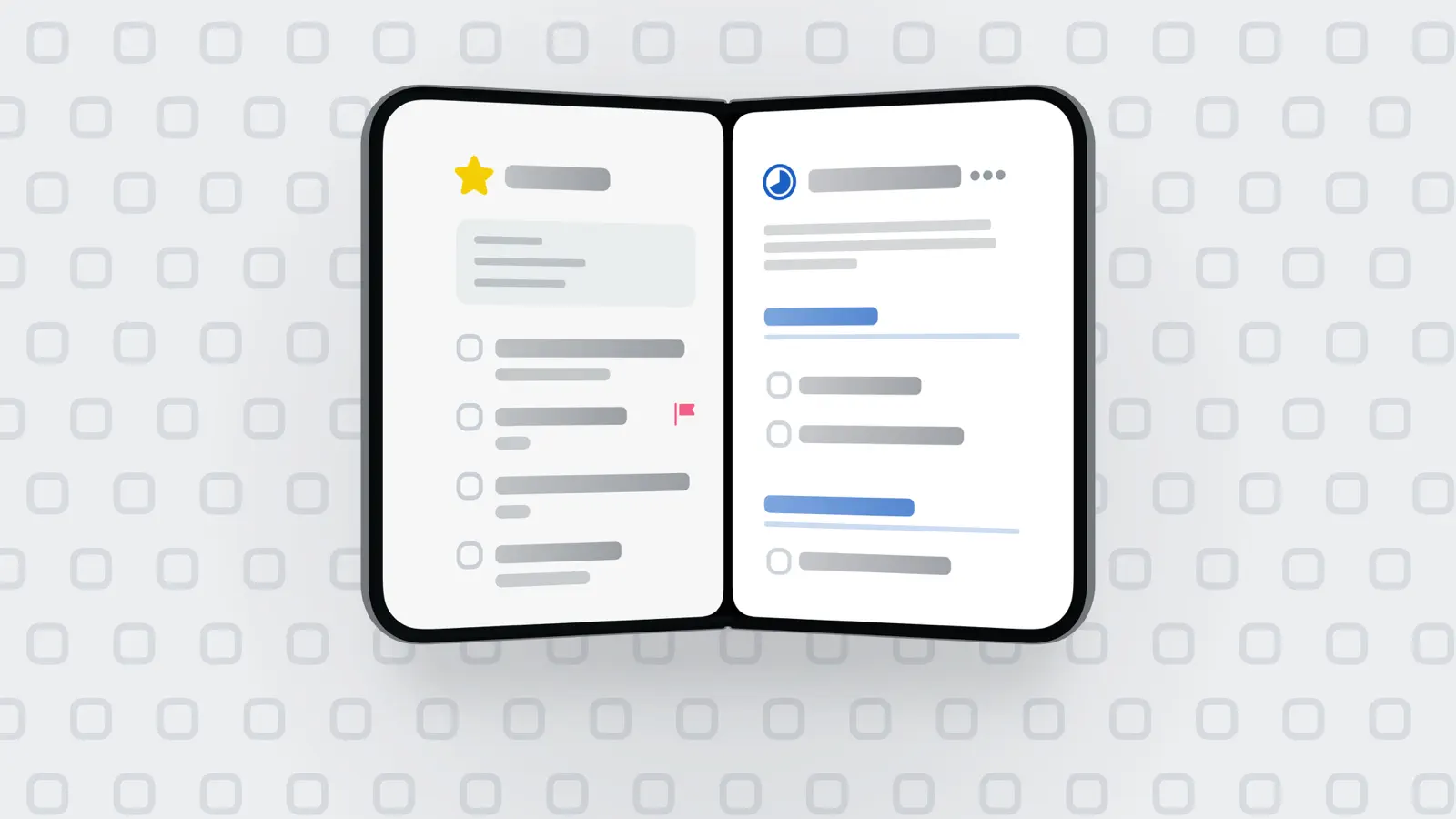
Things is ready for iPhone Duo! We’ve tailored the app for the new device, with a dynamic layout for all poses, a sidebar for your lists, and more.
A DYNAMIC LAYOUT ON iPHONE DUO
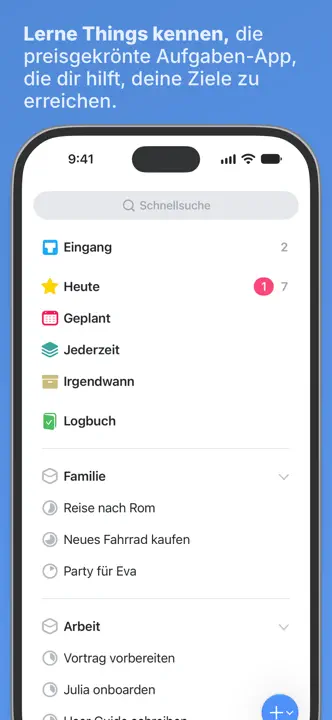
On iPhone Duo, Things reshapes itself to make the most of every pose – whether it’s closed, open, folded like a book, or sharing the screen with another app in Split View. Unfold it, and a new sidebar shows all your lists, so you can easily switch between them.
SIDE CONTROLS ON iPHONE DUO
On iPhone Duo, app controls sit in a bar down the right side of the screen, within easy reach of your thumb. That includes the Magic Plus button, which you can drag into your list to insert a to-do exactly where you want it.
MORE
• Connect a keyboard to your iPhone Duo and get the full suite of Things’ keyboard features.
• Updated the back and tools buttons at the top of the screen on iPhone with a new glass appearance (iOS 26 or later).
• Various other fixes and improvements under the hood.
3.25.22 Nov 2026
• Improved UI performance.
• Fixed a bug where the When field of an expanded repeating to-do wouldn’t update correctly after changing its date via keyboard shortcuts.
THINGS 3.25
Things is ready for iPhone Duo! We’ve tailored the app for the new device, with a dynamic layout for all poses, a sidebar for your lists, and more.
A DYNAMIC LAYOUT ON iPHONE DUO
On iPhone Duo, Things reshapes itself to make the most of every pose – whether it’s closed, open, folded like a book, or sharing the screen with another app in Split View. Unfold it, and a new sidebar shows all your lists, so you can easily switch between them.
SIDE CONTROLS ON iPHONE DUO
On iPhone Duo, app controls sit in a bar down the right side of the screen, within easy reach of your thumb. That includes the Magic Plus button, which you can drag into your list to insert a to-do exactly where you want it.
MORE
• Connect a keyboard to your iPhone Duo and get the full suite of Things’ keyboard features.
• Updated the back and tools buttons at the top of the screen on iPhone with a new glass appearance (iOS 26 or later).
• Various other fixes and improvements under the hood.
3.25.122 Oct 2026
Things is ready for iPhone Duo! We’ve tailored the app for the new device, with a dynamic layout for all poses, a sidebar for your lists, and more.
A DYNAMIC LAYOUT ON iPHONE DUO
On iPhone Duo, Things reshapes itself to make the most of every pose – whether it’s closed, open, folded like a book, or sharing the screen with another app in Split View. Unfold it, and a new sidebar shows all your lists, so you can easily switch between them.
SIDE CONTROLS ON iPHONE DUO
On iPhone Duo, app controls sit in a bar down the right side of the screen, within easy reach of your thumb. That includes the Magic Plus button, which you can drag into your list to insert a to-do exactly where you want it.
MORE
• Connect a keyboard to your iPhone Duo and get the full suite of Things’ keyboard features.
• Updated the back and tools buttons at the top of the screen on iPhone with a new glass appearance (iOS 26 or later).
• Various other fixes and improvements under the hood.
3.2521 Oct 2026
Things is ready for iPhone Duo! We’ve tailored the app for the new device, with a dynamic layout for all poses, a sidebar for your lists, and more.
A DYNAMIC LAYOUT ON iPHONE DUO
On iPhone Duo, Things reshapes itself to make the most of every pose – whether it’s closed, open, folded like a book, or sharing the screen with another app in Split View. Unfold it, and a new sidebar shows all your lists, so you can easily switch between them.
SIDE CONTROLS ON iPHONE DUO
On iPhone Duo, app controls sit in a bar down the right side of the screen, within easy reach of your thumb. That includes the Magic Plus button, which you can drag into your list to insert a to-do exactly where you want it.
MORE
• Connect a keyboard to your iPhone Duo and get the full suite of Things’ keyboard features.
• Updated the back and tools buttons at the top of the screen on iPhone with a new glass appearance (iOS 26 or later).
• Various other fixes and improvements under the hood.
3.24.319 Oct 2026
• Improved the expanded view of a reminder notification: it now shows the full to-do, including its notes, checklist, tags, and dates.
• Tweaked the scaling of certain controls at larger text sizes.
• Tweaked the animations when navigating into and out of a list.
• Tweaked how a list scrolls to keep the cursor in view when typing.
• Fixed a bug where dragging the + button to create a heading could open a gap of the wrong size.
• Many other improvements under the hood.
THINGS 3.24
Things is ready for iOS 27 and watchOS 27, with great new system integrations:
• Full integration with the new Siri (please check if it’s available on your device).
• Full integration with Spotlight, your device’s built-in search.
• More snoozing options for notifications, with more suitable durations.
• A new extra-tall widget to see longer lists.
• Various other compatibility improvements for the new OS.
See our blog for more information: www.things.app
3.24.222 Sept 2026
• Tweaked the appearance of to-dos shown by Siri on iOS 27.
• Improved performance when loading lists, using Quick Find, and selecting to-dos in Apple Shortcuts.
• Improved the Russian localization for a deadline that has “1 day left”.
• Fixed a bug where a newly created tag could appear in an arbitrary position in the tags dialog.
• Fixed a bug where the description of a repeating project’s recurrence rule referred to a to-do instead of a project.
• Fixed a bug on iOS 18 and earlier where the source list didn’t appear completely black when using the “Black” appearance.
• Fixed a bug on watchOS 27 where the widget on the Siri watch face was hard to read; it now uses a dark background.
• Fixed a grammatical error in the Italian localization of the Repeat dialog.
• Fixed a crash that could occur when deleting a project through Apple Shortcuts.
• Many other improvements under the hood.
THINGS 3.24
Things is ready for iOS 27 and watchOS 27, with great new system integrations:
• Full integration with the new Siri (please check if it’s available on your device).
• Full integration with Spotlight, your device’s built-in search.
• More snoozing options for notifications, with more suitable durations.
• A new extra-tall widget to see longer lists.
• Various other compatibility improvements for the new OS.
See our blog for more information: www.things.app
3.24.114 Sept 2026
Things is ready for iOS 27 and watchOS 27, with great new system integrations:
• Full integration with the new Siri (please check if it’s available on your device).
• Full integration with Spotlight, your device’s built-in search.
• More snoozing options for notifications, with more suitable durations.
• A new extra-tall widget to see longer lists.
• Various other compatibility improvements for the new OS.
See our blog for more information: www.things.app
3.2414 Sept 2026
Things is ready for iOS 27 and watchOS 27, with great new system integrations:
• Full integration with the new Siri (please check if it’s available on your device).
• Full integration with Spotlight, your device’s built-in search.
• More snoozing options for notifications, with more suitable durations.
• A new extra-tall widget to see longer lists.
• Various other compatibility improvements for the new OS.
See our blog for more information: www.things.app