3.8.318 Nov 2026
This update unfolds Mercury on iPhone Duo. Plus, a 24-hour look back in the hourly forecast.
iPhone Duo
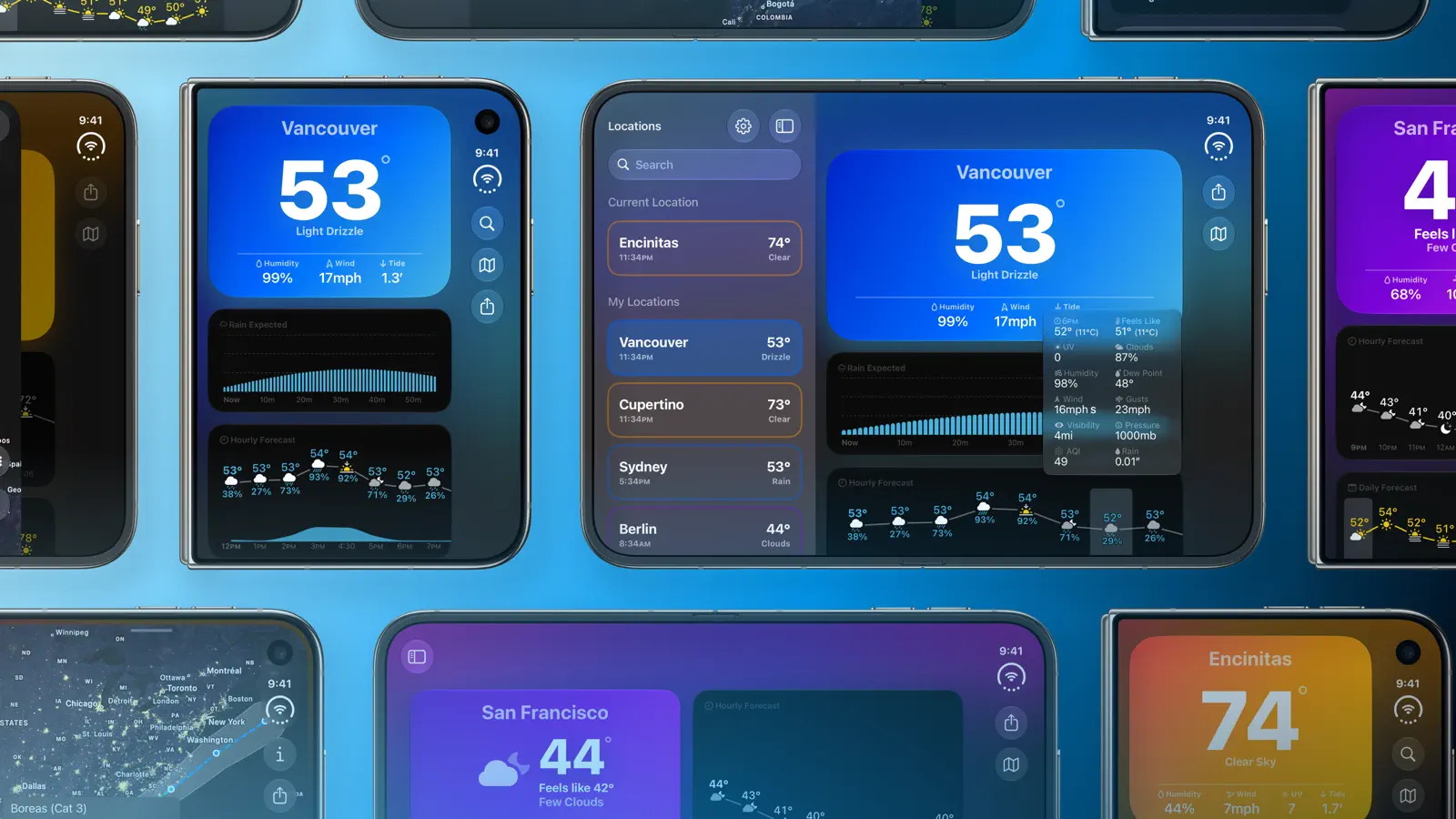
Mercury is ready for iPhone Duo. Unfold it to see your locations next to the forecast, and fold it for the familiar iPhone layout. You can also open two Mercury windows side by side to compare the weather in two places.
HOURLY HISTORY
Wondering how warm it got this afternoon or when the rain actually stopped? Pull the hourly forecast back past the current hour and release to see the past 24 hours. Tap Now to jump back to the forecast.
FIXES
Temperature lines in compact widgets and Apple Watch complications now line up correctly in right-to-left languages.
Kai & Malin
3.8.29 Nov 2026
This update unfolds Mercury on iPhone Duo. Plus, a 24-hour look back in the hourly forecast.
iPhone Duo
Mercury is ready for iPhone Duo. Unfold it to see your locations next to the forecast, and fold it for the familiar iPhone layout. You can also open two Mercury windows side by side to compare the weather in two places.
HOURLY HISTORY
Wondering how warm it got this afternoon or when the rain actually stopped? Pull the hourly forecast back past the current hour and release to see the past 24 hours. Tap Now to jump back to the forecast.
FIXES
Temperature lines in compact widgets and Apple Watch complications now line up correctly in right-to-left languages.
Kai & Malin
3.8.19 Oct 2026
This update unfolds Mercury on iPhone Duo. Plus, a 24-hour look back in the hourly forecast.
iPhone Duo
Mercury is ready for iPhone Duo. Unfold it to see your locations next to the forecast, and fold it for the familiar iPhone layout. You can also open two Mercury windows side by side to compare the weather in two places.
HOURLY HISTORY
Wondering how warm it got this afternoon or when the rain actually stopped? Pull the hourly forecast back past the current hour and release to see the past 24 hours. Tap Now to jump back to the forecast.
FIXES
Temperature lines in compact widgets and Apple Watch complications now line up correctly in right-to-left languages.
Kai & Malin
3.88 Oct 2026
This update unfolds Mercury on iPhone Duo. Plus, a 24-hour look back in the hourly forecast.
iPhone Duo
Mercury is ready for iPhone Duo. Unfold it to see your locations next to the forecast, and fold it for the familiar iPhone layout. You can also open two Mercury windows side by side to compare the weather in two places.
HOURLY HISTORY
Wondering how warm it got this afternoon or when the rain actually stopped? Pull the hourly forecast back past the current hour and release to see the past 24 hours. Tap Now to jump back to the forecast.
FIXES
Temperature lines in compact widgets and Apple Watch complications now line up correctly in right-to-left languages.
Kai & Malin
3.7.222 Sept 2026
Mercury is ready for iOS 27! This is a big one: deeper Siri integration and new extra-large widgets. Plus, a more flexible Trip Forecast, new Tide widgets, and Monthly Averages comparisons to help plan your next adventure.
SIRI INTEGRATION
Ask Siri about upcoming or past trips, or add a new trip destination to Mercury. Natural-language requests and conversational follow-ups make it easier to plan your travels.
EXTRA-LARGE WIDGETS
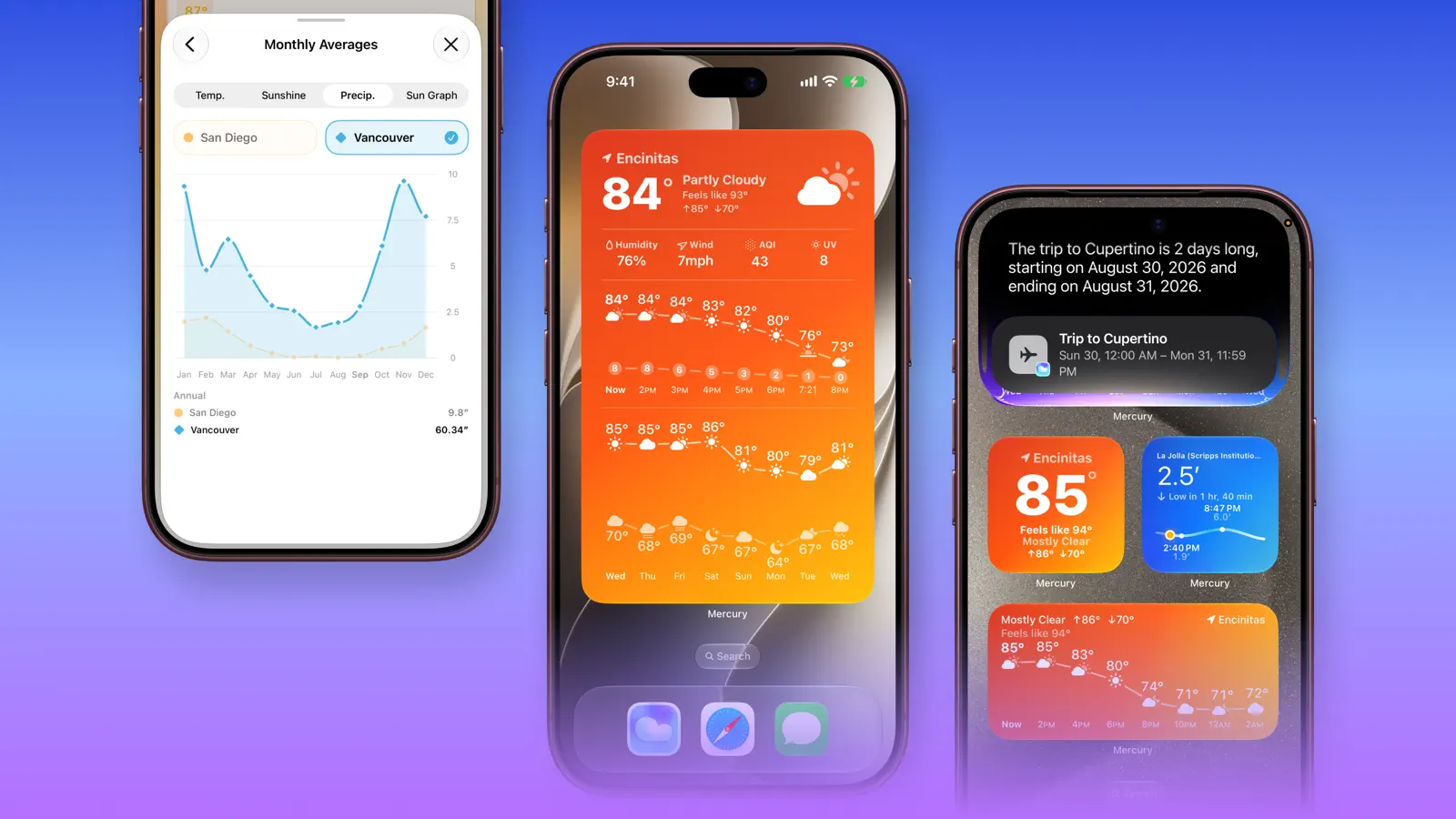
On iOS 27, a new extra-large widget brings current conditions, upcoming rain, and hourly and daily forecasts together in one place.
FLEXIBLE LAYOUTS
The user interface now adapts as you resize its window in iPhone Mirroring.
TRIP FORECAST 2.0
Spend the morning in one place and the afternoon somewhere else, or plan a multi-stop road trip. Add precise trip times and multiple stops in a single day, with the weather for each destination appearing in your daily and hourly forecasts, including widgets and Apple Watch.
TIDE WIDGETS
Keep an eye on the tides from your Home Screen or Lock Screen. Choose a tide station to see the current tide height and upcoming highs and lows. The Tide widget also supports the new extra-large size on iOS 27. Available for supported coastal areas in the U.S. and Canada.
COMPARE MONTHLY AVERAGES
Compare temperatures, rainfall, sunshine, and daylight between two places throughout the year. See how a destination compares with home before planning your next trip.
OTHER IMPROVEMENTS
Clearer weather warning colors and more reliable forecast refreshes and radar loading.
Kai & Malin
3.7.121 Sept 2026
Mercury is ready for iOS 27! This is a big one: deeper Siri integration and new extra-large widgets. Plus, a more flexible Trip Forecast, new Tide widgets, and Monthly Averages comparisons to help plan your next adventure.
SIRI INTEGRATION
Ask Siri about upcoming or past trips, or add a new trip destination to Mercury. Natural-language requests and conversational follow-ups make it easier to plan your travels.
EXTRA-LARGE WIDGETS
On iOS 27, a new extra-large widget brings current conditions, upcoming rain, and hourly and daily forecasts together in one place.
FLEXIBLE LAYOUTS
The user interface now adapts as you resize its window in iPhone Mirroring.
TRIP FORECAST 2.0
Spend the morning in one place and the afternoon somewhere else, or plan a multi-stop road trip. Add precise trip times and multiple stops in a single day, with the weather for each destination appearing in your daily and hourly forecasts, including widgets and Apple Watch.
TIDE WIDGETS
Keep an eye on the tides from your Home Screen or Lock Screen. Choose a tide station to see the current tide height and upcoming highs and lows. The Tide widget also supports the new extra-large size on iOS 27. Available for supported coastal areas in the U.S. and Canada.
COMPARE MONTHLY AVERAGES
Compare temperatures, rainfall, sunshine, and daylight between two places throughout the year. See how a destination compares with home before planning your next trip.
OTHER IMPROVEMENTS
Clearer weather warning colors and more reliable forecast refreshes and radar loading.
Kai & Malin
3.711 Sept 2026
Mercury is ready for iOS 27! This is a big one: deeper Siri integration and new extra-large widgets. Plus, a more flexible Trip Forecast, new Tide widgets, and Monthly Averages comparisons to help plan your next adventure.
SIRI INTEGRATION
Ask Siri about upcoming or past trips, or add a new trip destination to Mercury. Natural-language requests and conversational follow-ups make it easier to plan your travels.
EXTRA-LARGE WIDGETS
On iOS 27, a new extra-large widget brings current conditions, upcoming rain, and hourly and daily forecasts together in one place.
FLEXIBLE LAYOUTS
The user interface now adapts as you resize its window in iPhone Mirroring.
TRIP FORECAST 2.0
Spend the morning in one place and the afternoon somewhere else, or plan a multi-stop road trip. Add precise trip times and multiple stops in a single day, with the weather for each destination appearing in your daily and hourly forecasts, including widgets and Apple Watch.
TIDE WIDGETS
Keep an eye on the tides from your Home Screen or Lock Screen. Choose a tide station to see the current tide height and upcoming highs and lows. The Tide widget also supports the new extra-large size on iOS 27. Available for supported coastal areas in the U.S. and Canada.
COMPARE MONTHLY AVERAGES
Compare temperatures, rainfall, sunshine, and daylight between two places throughout the year. See how a destination compares with home before planning your next trip.
OTHER IMPROVEMENTS
Clearer weather warning colors and more reliable forecast refreshes and radar loading.
Kai & Malin
3.6.326 Aug 2026
This update brings more detailed wildfire coverage and a couple of fixes.
WILDFIRE MAP IMPROVEMENTS
California fire maps now include CAL FIRE incidents and boundaries for more complete coverage. British Columbia fires have clearer names and links to official details.
FIXES
Fixed an issue where the Daily widget could get stuck after editing its configuration. Also fixed chart labels overlapping in large widgets on iPad mini and improved forecast reliability in Australia.
Kai & Malin