6.0.115 Nov 2026
An update you’ve been waiting for! We really took our time with this one, as we wanted to get it right. Hopefully we succeeded - we’ll let you be the judge of that. Let’s dive in!
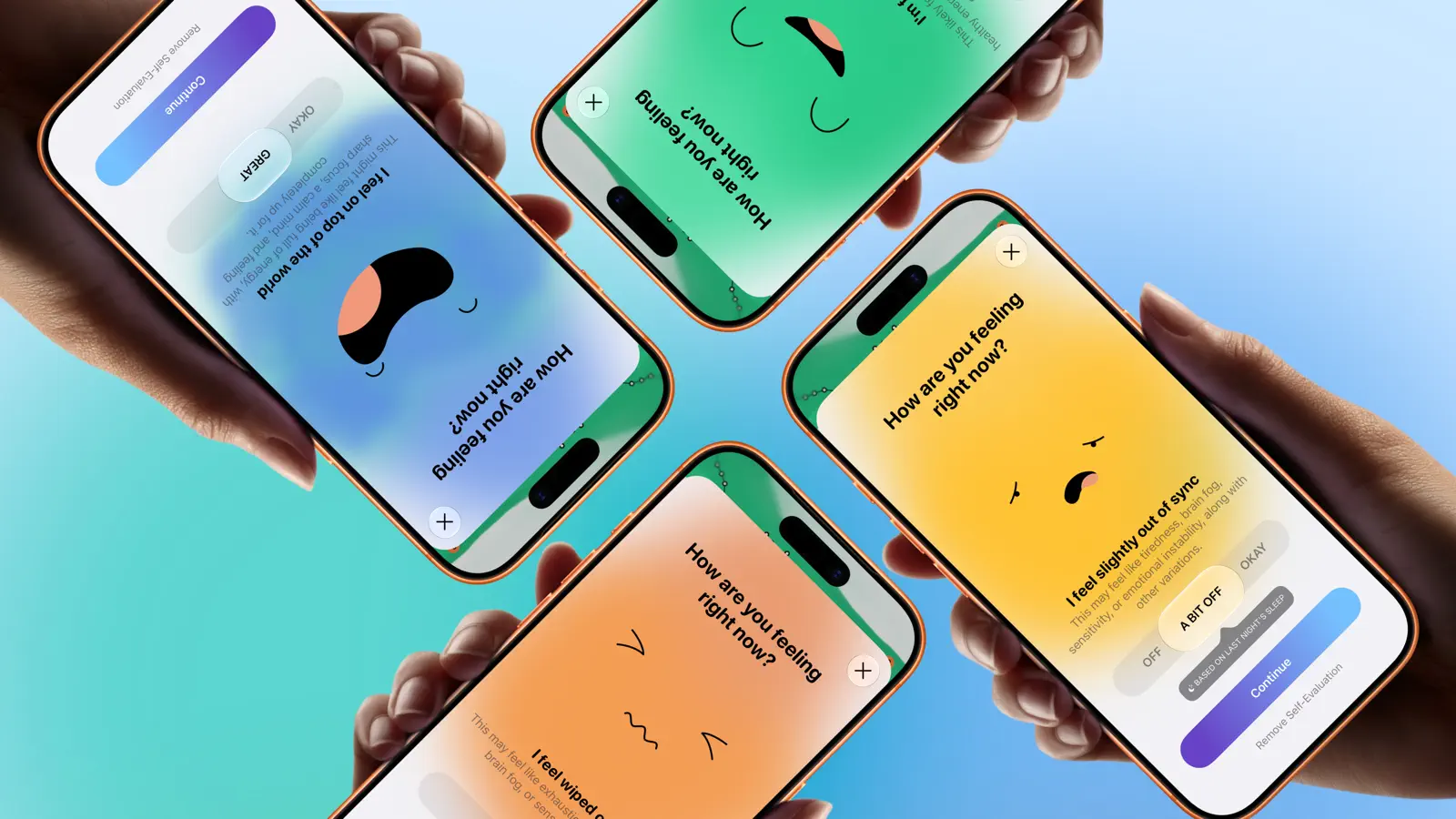
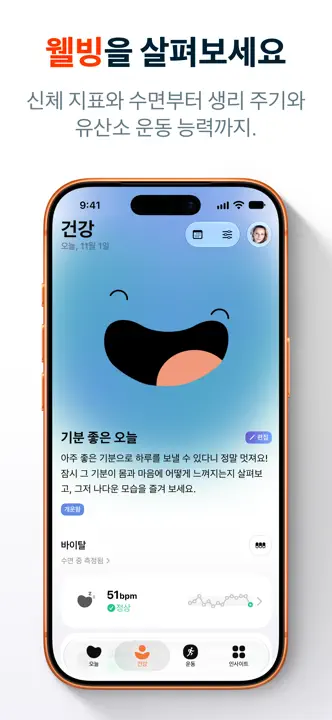
The belle of this ball is “How I Feel”, a way to add your side of the story whenever your data doesn’t match your day. This update also brings a revamped Today tab, a Wellbeing Path for days when you switch from Active to Sick, Injured or On a Break, the Health tab (yes, the Health tab is back) with a Wellbeing Overview on it, and lots of small perks - some of them hidden, so do tap around!
NEW
How You Feel Gets Its Say
Whenever your data doesn’t reflect how you feel, or you’d like to add some context, rate your day from Off to Great, add the symptoms and moods behind it, and if/when needed, your daily guidance will adapt. Find the “Anything to add?” prompt under the Activity Path on the Today tab and at the top of the Health tab. Choose when it appears in Gentler Streak → Profile → Settings → Self-evaluation prompt. Forgot to log something that made a difference to your day? Add it later from the Timeline or from the Calendar on the Health tab.
Streak Tab Becomes Today
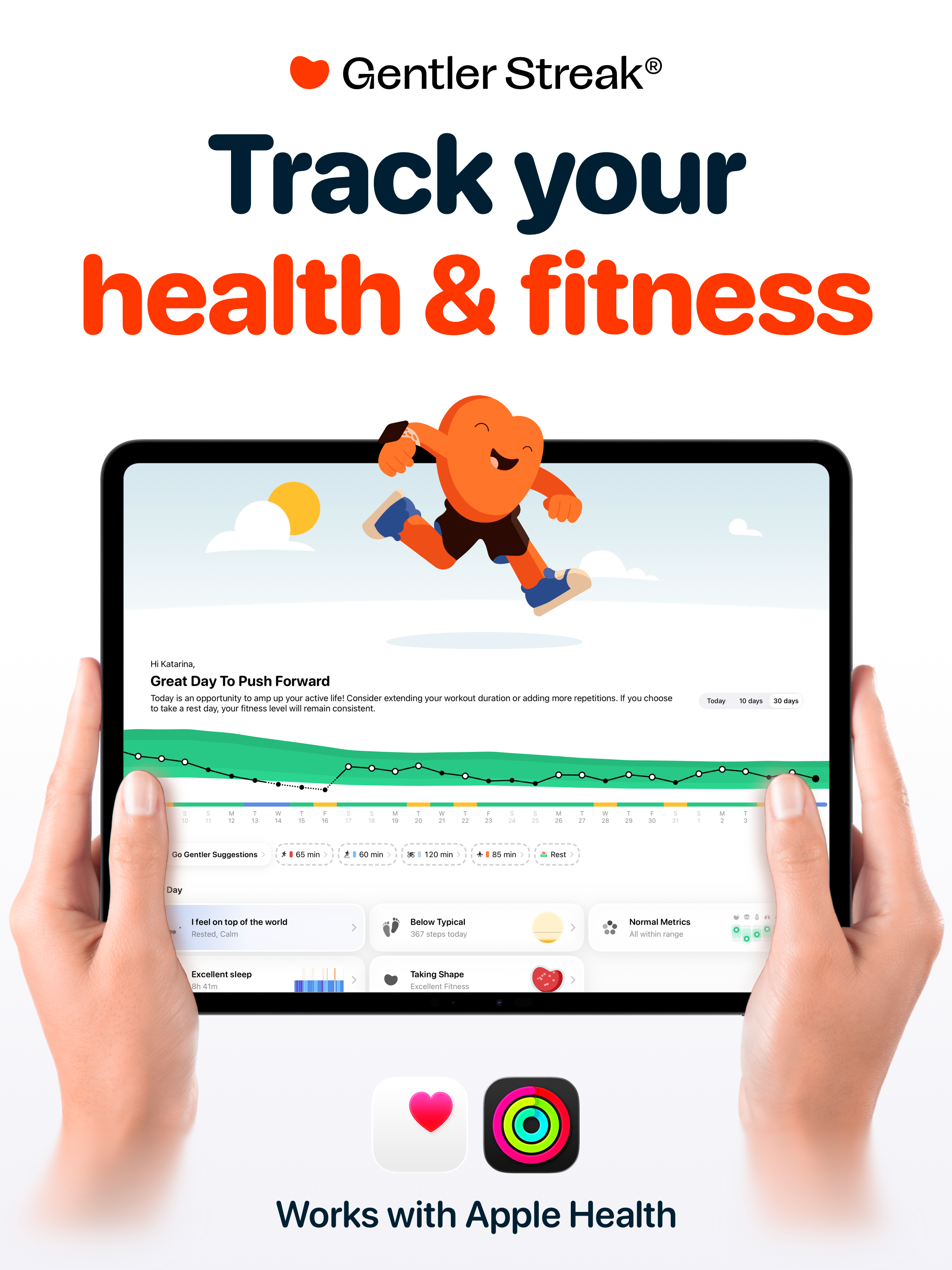
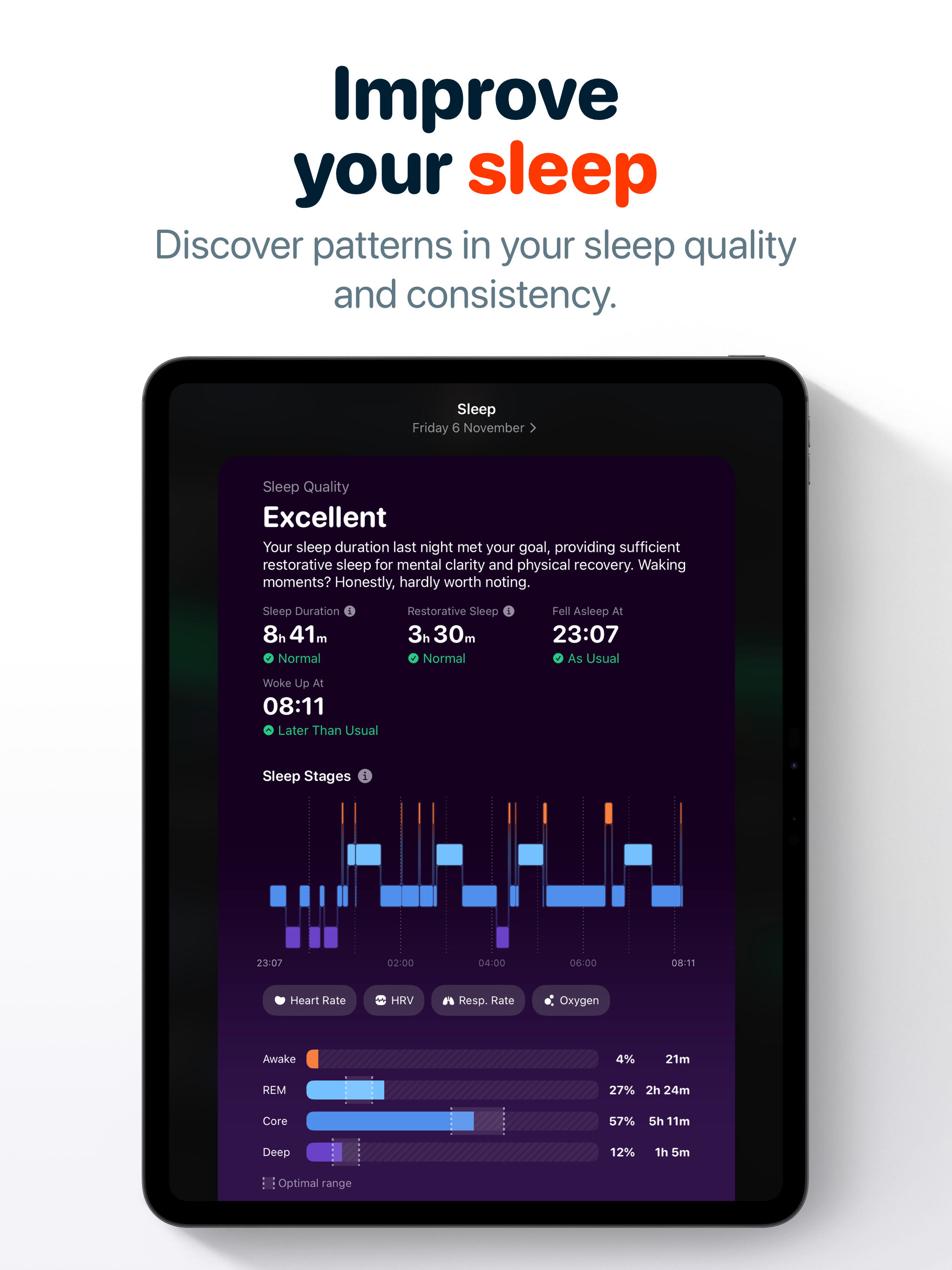
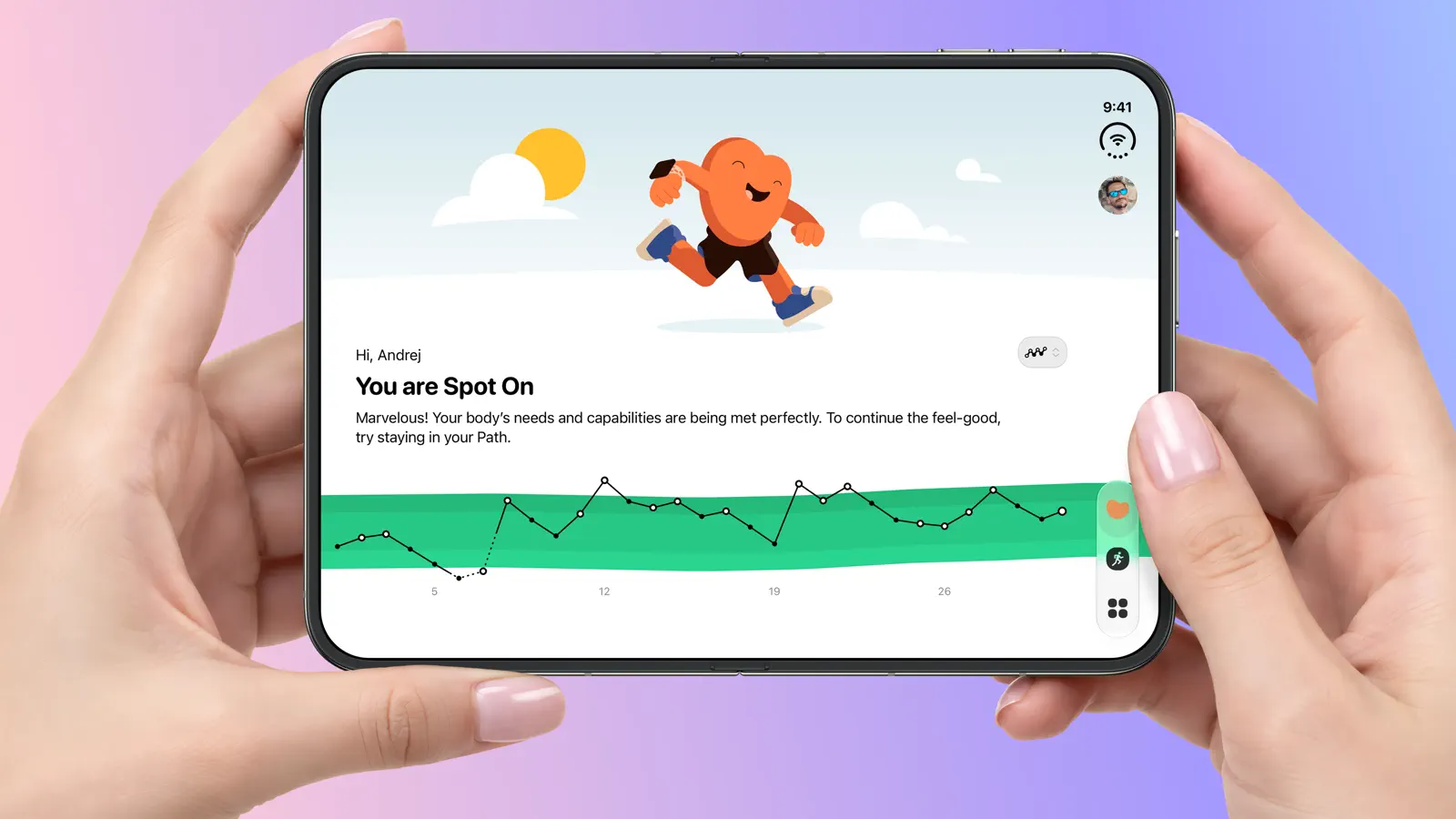
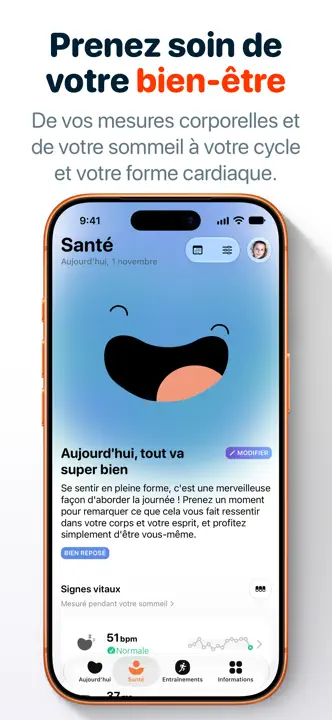
And it got a pretty big makeover! You’ll see a wellbeing line under the Activity Path showing how your wellbeing changes over time, a My Day section you can reorder and personalize, and below lies a 10- or 30-day Timeline with your moods, symptoms, vitals, sleep, cycle and workouts.
New Visual Element - Wellbeing Path
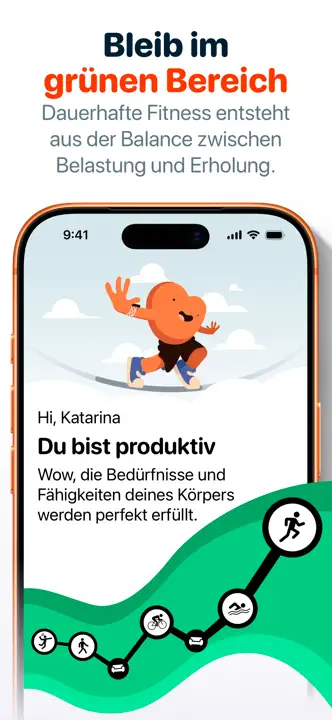
When you switch to On a Break, Sick or Injured, the wellbeing line evolves into a Path and fully replaces the Activity Path, so the app can keep supporting you even when exercise is not a priority.
Health Tab Is Back
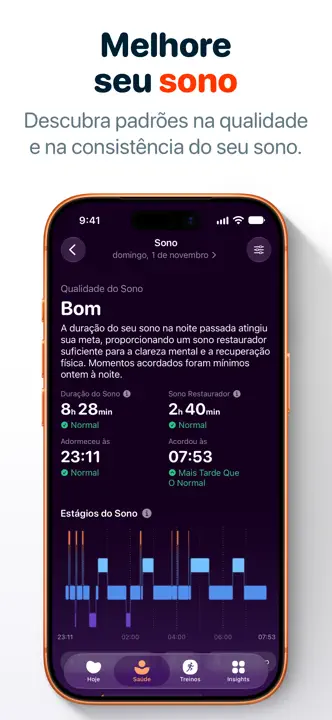
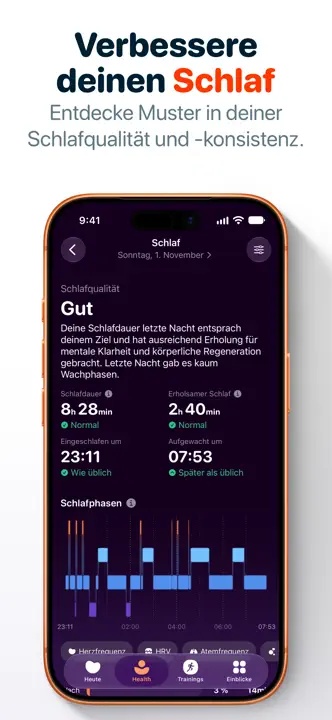
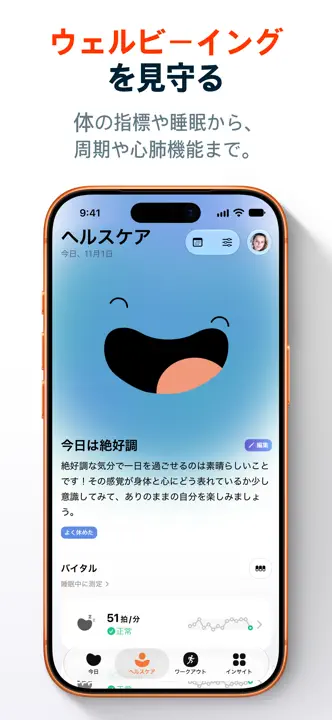
With all its usual suspects, and it now has a Wellbeing Overview: an interactive chart of your wellbeing over time, from your own entries or from your Apple Watch on the nights you wore it. Filter it by symptoms to spot patterns.
Learn more about this update and the reasons behind it on our Gentler Stories blog.
If Gentler Streak has been useful and you’d like to support us, an App Store review REALLY helps. For a bootstrapped team relying on word of mouth, genuine reviews are as good as gold. Thank you!
Got feedback? Do let us know - we read everything.
Email: support@gentlerstories.com
Reddit: r/gentlerstreakapp
Instagram & Threads: @gentlerstreak
Xiaohongshu: GentlerStreak
Thanks for exploring your fitness with us!
6.012 Nov 2026
An update you’ve been waiting for! We really took our time with this one, as we wanted to get it right. Hopefully we succeeded - we’ll let you be the judge of that. Let’s dive in!
The belle of this ball is “How I Feel”, a way to add your side of the story whenever your data doesn’t match your day. This update also brings a revamped Today tab, a Wellbeing Path for days when you switch from Active to Sick, Injured or On a Break, the Health tab (yes, the Health tab is back) with a Wellbeing Overview on it, and lots of small perks - some of them hidden, so do tap around!
NEW
How You Feel Gets Its Say
Whenever your data doesn’t reflect how you feel, or you’d like to add some context, rate your day from Off to Great, add the symptoms and moods behind it, and if/when needed, your daily guidance will adapt. Find the “Anything to add?” prompt under the Activity Path on the Today tab and at the top of the Health tab. Choose when it appears in Gentler Streak → Profile → Settings → Self-evaluation prompt. Forgot to log something that made a difference to your day? Add it later from the Timeline or from the Calendar on the Health tab.
Streak Tab Becomes Today
And it got a pretty big makeover! You’ll see a wellbeing line under the Activity Path showing how your wellbeing changes over time, a My Day section you can reorder and personalize, and below lies a 10- or 30-day Timeline with your moods, symptoms, vitals, sleep, cycle and workouts.
New Visual Element - Wellbeing Path
When you switch to On a Break, Sick or Injured, the wellbeing line evolves into a Path and fully replaces the Activity Path, so the app can keep supporting you even when exercise is not a priority.
Health Tab Is Back
With all its usual suspects, and it now has a Wellbeing Overview: an interactive chart of your wellbeing over time, from your own entries or from your Apple Watch on the nights you wore it. Filter it by symptoms to spot patterns.
Learn more about this update and the reasons behind it on our Gentler Stories blog.
If Gentler Streak has been useful and you’d like to support us, an App Store review REALLY helps. For a bootstrapped team relying on word of mouth, genuine reviews are as good as gold. Thank you!
Got feedback? Do let us know - we read everything.
Email: support@gentlerstories.com
Reddit: r/gentlerstreakapp
Instagram & Threads: @gentlerstreak
Xiaohongshu: GentlerStreak
Thanks for exploring your fitness with us!
5.13.522 Oct 2026
This is the second part of Gentler Streak getting ready for the iPhone Duo screen. Screens? iPhone Duo screens. With this update, we’ve added the new sidebar and navigation, and covered every way you might use the app: on the outer screen, on the inner screen in portrait and landscape, and side by side with another app on the inner screen. We will likely add some more perks in the next months, once we get our hands on the device, and see how to squeeze the most out of it.
At the office we are working on a big feature, focused completely on your side of the story, that will be our next update. Fingers crossed all goes as planned!
If Gentler Streak has been useful, and you’d like to support us, an App Store review REALLY helps. As a bootstrapped team relying on word-of-mouth, genuine reviews are as good as gold. Thank you!
Got feedback? Do let us know, we read everything.
Email: support@gentlerstories.com
Reddit: r/gentlerstreakapp
Instagram & Threads: @gentlerstreak
Thanks for exploring your fitness with us!
5.13.48 Oct 2026
With this fella, we are addressing newly discovered loading issues, and introducing some novelties to health metrics.
IMPROVEMENTS
After the iOS 27 update, you may have been one of the unlucky ones who experienced a bumpy ride with unpredictable app loading. Hopefully, no more.
NEW
HRV Better Reflecting Your Recovery
With the new iOS, Apple introduced the RMSSD method for HRV, which now better reflects your recovery. Available on Apple Watch Series 12 and Ultra 4.
Temperature with Baseline
On iOS 27, you can keep the current temperature view or switch to a baseline view. You can switch views in the app: Gentler Streak → Profile → Settings → Temperature.
Important: new sensors, on Apple Watch Series 12 and Ultra 4, may provide different results than previous models. To avoid confusion, we automatically recalibrate the baseline.
Temperature for non-Apple Watch
If your non-Apple Watch tracker saves temperature to Apple Health, you should now see it among body metrics.
If Gentler Streak has been useful, and you’d like to support us, App Store review REALLY helps. As a bootstrapped crew relying on word-of-mouth, genuine positive reviews are as good as gold. Thank you!
Got feedback? Do let us know, we read everything.
Email: support@gentlerstories.com
Reddit: r/gentlerstreakapp
Instagram & Threads: @gentlerstreak
Thanks for exploring your fitness with us!
5.13.31 Oct 2026
Hello, sweet September! And sweet you, of course. While you were hopefully chasing waves, reaching new heights and exploring wild routes (or just staring at the sky, indulging in good old nothing), we were busy teaching Yorhart new tricks - the ones coming with iOS 27. So, grab that smoothie, and learn what’s new.
NEW
Siri As a Personal Health Guide
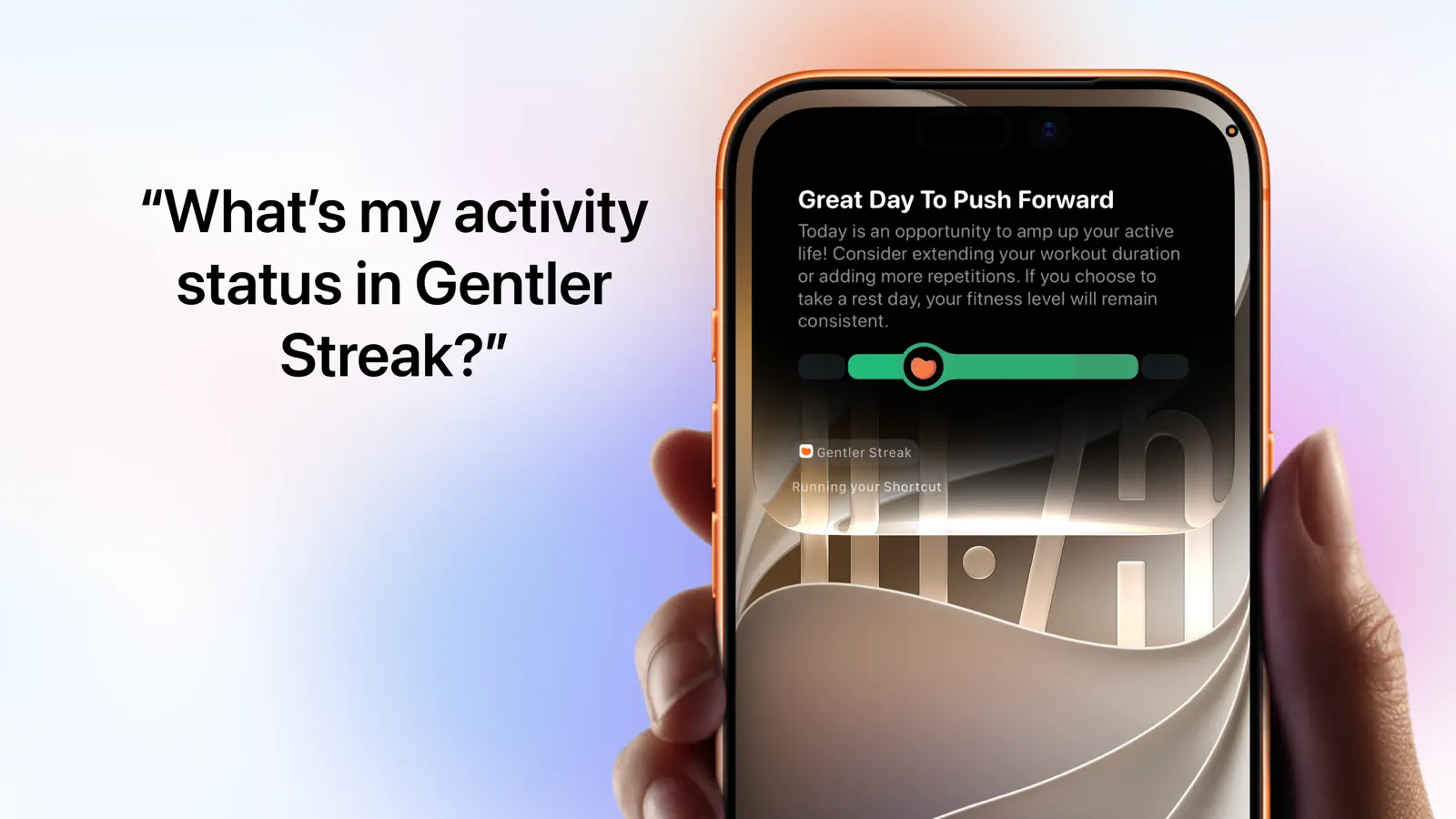
There are now two ways to make use of Siri in Gentler Streak. One is the use of App Intents, which make it possible to get information connected to your health and fitness without opening the app. The second is On-Screen Awareness, where Siri can help with additional context to what you are seeing on your screen.
App Intents
You can now ask Siri things like “what’s my activity status” or “show today’s workouts” without opening the app as long as you add the app’s name (Gentler Streak) to your prompt. A few office favorites to try:
- Today’s workouts (in Gentler Streak)?
- What’s my activity status (in Gentler Streak)?
- Today’s workout suggestions (in Gentler Streak)?
- Get today’s body metrics (in Gentler Streak)?
- How was my sleep last night (in Gentler Streak)?
- Start a workout on Apple Watch (in Gentler Streak)
On-Screen Awareness
Looking at workout data, accompanying charts and scratching your head a little? You can now ask Siri to explain what you are seeing. If there are parts of the app you would like to understand better, go to that feature, and ask Siri to tell you more: you could go from “summarize my workout” to “what’s this green strip on my screen” and Siri should explain it back to you. Play around to see what fits your usage best.
Heads up: if you are in the EU, or China, Siri AI has not been made available yet.
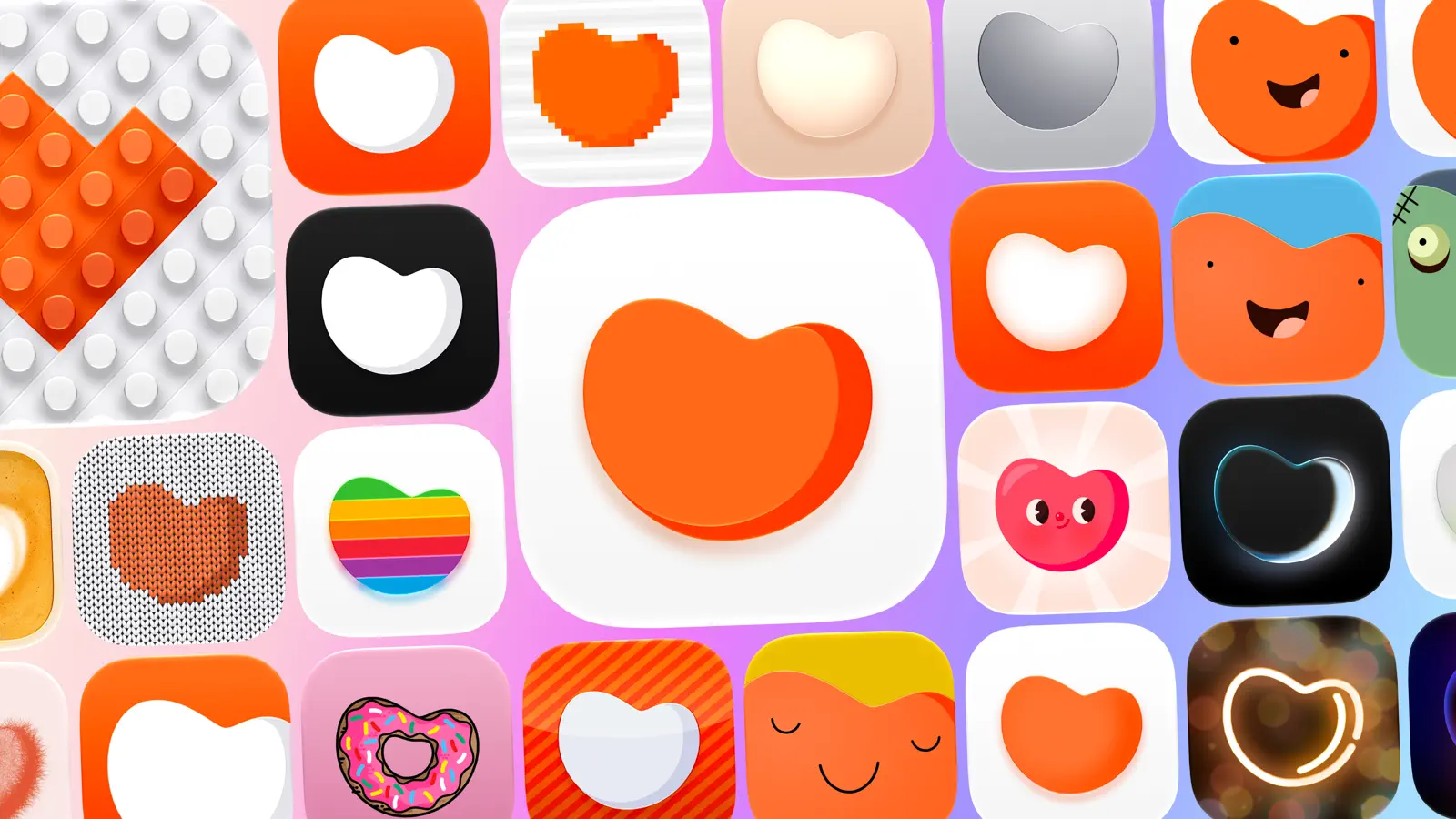
Refreshed Icons & Liquid Glass
New season comes with new trends. While we are all up for personal style, a little trendy touch-up can’t hurt.
Adaptive Layout
Gentler Streak can now fit any screen size, also the iPhone Duo when it comes out.
Personalized Workout Summary Suggestion
With a little help of on-device AI, we now try to give your afternoon walk, weekend ride, or yoga session some flavour. Workouts still come with default titles, but tap edit, and get prefilled text. Like it? Save it. Not feeling it? Create your own or keep the original, spartan version.
By releasing this (pretty) technical update, we will now fully focus our attention on where our hearts are - creating new functionalities that deepen personalized guidance. We are picking up our “how you feel” layer, which should see the light of day towards the end of October. Follow us on socials, for more info.
If you find Gentler Streak helpful, leaving a review on the App Store is literally one of the best (and fastest) ways to support our work. It gives us motivation, and helps others find us!
And now to you! Update, try it out, and let us know what you think - we read everything.
Email: support@gentlerstories.com
Reddit: r/gentlerstreakapp
Instagram: @gentlerstreak
Threads: @gentlerstreak
And as always, thank you for exploring your fitness with us!
5.13.216 Sept 2026
Hello, sweet September! And sweet you, of course. While you were hopefully chasing waves, reaching new heights and exploring wild routes (or just staring at the sky, indulging in good old nothing), we were busy teaching Yorhart new tricks - the ones coming with iOS 27. So, grab that smoothie, and learn what’s new.
NEW
Siri As a Personal Health Guide
There are now two ways to make use of Siri in Gentler Streak. One is the use of App Intents, which make it possible to get information connected to your health and fitness without opening the app. The second is On-Screen Awareness, where Siri can help with additional context to what you are seeing on your screen.
App Intents
You can now ask Siri things like “what’s my activity status” or “show today’s workouts” without opening the app as long as you add the app’s name (Gentler Streak) to your prompt. A few office favorites to try:
- Today’s workouts (in Gentler Streak)?
- What’s my activity status (in Gentler Streak)?
- Today’s workout suggestions (in Gentler Streak)?
- Get today’s body metrics (in Gentler Streak)?
- How was my sleep last night (in Gentler Streak)?
- Start a workout on Apple Watch (in Gentler Streak)
On-Screen Awareness
Looking at workout data, accompanying charts and scratching your head a little? You can now ask Siri to explain what you are seeing. If there are parts of the app you would like to understand better, go to that feature, and ask Siri to tell you more: you could go from “summarize my workout” to “what’s this green strip on my screen” and Siri should explain it back to you. Play around to see what fits your usage best.
Heads up: if you are in the EU, or China, Siri AI has not been made available yet.
Refreshed Icons & Liquid Glass
New season comes with new trends. While we are all up for personal style, a little trendy touch-up can’t hurt.
Adaptive Layout
Gentler Streak can now fit any screen size, also the iPhone Duo when it comes out.
Personalized Workout Summary Suggestion
With a little help of on-device AI, we now try to give your afternoon walk, weekend ride, or yoga session some flavour. Workouts still come with default titles, but tap edit, and get prefilled text. Like it? Save it. Not feeling it? Create your own or keep the original, spartan version.
By releasing this (pretty) technical update, we will now fully focus our attention on where our hearts are - creating new functionalities that deepen personalized guidance. We are picking up our “how you feel” layer, which should see the light of day towards the end of October. Follow us on socials, for more info.
If you find Gentler Streak helpful, leaving a review on the App Store is literally one of the best (and fastest) ways to support our work. It gives us motivation, and helps others find us!
And now to you! Update, try it out, and let us know what you think - we read everything.
Email: support@gentlerstories.com
Reddit: r/gentlerstreakapp
Instagram: @gentlerstreak
Threads: @gentlerstreak
And as always, thank you for exploring your fitness with us!
5.13.115 Sept 2026
Hello, sweet September! And sweet you, of course. While you were hopefully chasing waves, reaching new heights and exploring wild routes (or just staring at the sky, indulging in good old nothing), we were busy teaching Yorhart new tricks - the ones coming with iOS 27. So, grab that smoothie, and learn what’s new.
NEW
Siri As a Personal Health Guide
There are now two ways to make use of Siri in Gentler Streak. One is the use of App Intents, which make it possible to get information connected to your health and fitness without opening the app. The second is On-Screen Awareness, where Siri can help with additional context to what you are seeing on your screen.
App Intents
You can now ask Siri things like “what’s my activity status” or “show today’s workouts” without opening the app as long as you add the app’s name (Gentler Streak) to your prompt. A few office favorites to try:
- Today’s workouts (in Gentler Streak)?
- What’s my activity status (in Gentler Streak)?
- Today’s workout suggestions (in Gentler Streak)?
- Get today’s body metrics (in Gentler Streak)?
- How was my sleep last night (in Gentler Streak)?
- Start a workout on Apple Watch (in Gentler Streak)
On-Screen Awareness
Looking at workout data, accompanying charts and scratching your head a little? You can now ask Siri to explain what you are seeing. If there are parts of the app you would like to understand better, go to that feature, and ask Siri to tell you more: you could go from “summarize my workout” to “what’s this green strip on my screen” and Siri should explain it back to you. Play around to see what fits your usage best.
Heads up: if you are in the EU, or China, Siri AI has not been made available yet.
Refreshed Icons & Liquid Glass
New season comes with new trends. While we are all up for personal style, a little trendy touch-up can’t hurt.
Adaptive Layout
Gentler Streak can now fit any screen size, also the iPhone Duo when it comes out.
Personalized Workout Summary Suggestion
With a little help of on-device AI, we now try to give your afternoon walk, weekend ride, or yoga session some flavour. Workouts still come with default titles, but tap edit, and get prefilled text. Like it? Save it. Not feeling it? Create your own or keep the original, spartan version.
By releasing this (pretty) technical update, we will now fully focus our attention on where our hearts are - creating new functionalities that deepen personalized guidance. We are picking up our “how you feel” layer, which should see the light of day towards the end of October. Follow us on socials, for more info.
If you find Gentler Streak helpful, leaving a review on the App Store is literally one of the best (and fastest) ways to support our work. It gives us motivation, and helps others find us!
And now to you! Update, try it out, and let us know what you think - we read everything.
Email: support@gentlerstories.com
Reddit: r/gentlerstreakapp
Instagram: @gentlerstreak
Threads: @gentlerstreak
And as always, thank you for exploring your fitness with us!
5.1314 Sept 2026
Hello, sweet September! And sweet you, of course. While you were hopefully chasing waves, reaching new heights and exploring wild routes (or just staring at the sky, indulging in good old nothing), we were busy teaching Yorhart new tricks - the ones coming with iOS 27. So, grab that smoothie, and learn what’s new.
NEW
Siri As a Personal Health Guide
There are now two ways to make use of Siri in Gentler Streak. One is the use of App Intents, which make it possible to get information connected to your health and fitness without opening the app. The second is On-Screen Awareness, where Siri can help with additional context to what you are seeing on your screen.
App Intents
You can now ask Siri things like “what’s my activity status” or “show today’s workouts” without opening the app as long as you add the app’s name (Gentler Streak) to your prompt. A few office favorites to try:
- Today’s workouts (in Gentler Streak)?
- What’s my activity status (in Gentler Streak)?
- Today’s workout suggestions (in Gentler Streak)?
- Get today’s body metrics (in Gentler Streak)?
- How was my sleep last night (in Gentler Streak)?
- Start a workout on Apple Watch (in Gentler Streak)
On-Screen Awareness
Looking at workout data, accompanying charts and scratching your head a little? You can now ask Siri to explain what you are seeing. If there are parts of the app you would like to understand better, go to that feature, and ask Siri to tell you more: you could go from “summarize my workout” to “what’s this green strip on my screen” and Siri should explain it back to you. Play around to see what fits your usage best.
Heads up: if you are in the EU, or China, Siri AI has not been made available yet.
Refreshed Icons & Liquid Glass
New season comes with new trends. While we are all up for personal style, a little trendy touch-up can’t hurt.
Adaptive Layout
Gentler Streak can now fit any screen size, also the iPhone Duo when it comes out.
Personalized Workout Summary Suggestion
With a little help of on-device AI, we now try to give your afternoon walk, weekend ride, or yoga session some flavour. Workouts still come with default titles, but tap edit, and get prefilled text. Like it? Save it. Not feeling it? Create your own or keep the original, spartan version.
By releasing this (pretty) technical update, we will now fully focus our attention on where our hearts are - creating new functionalities that deepen personalized guidance. We are picking up our “how you feel” layer, which should see the light of day towards the end of October. Follow us on socials, for more info.
If you find Gentler Streak helpful, leaving a review on the App Store is literally one of the best (and fastest) ways to support our work. It gives us motivation, and helps others find us!
And now to you! Update, try it out, and let us know what you think - we read everything.
Email: support@gentlerstories.com
Reddit: r/gentlerstreakapp
Instagram: @gentlerstreak
Threads: @gentlerstreak
And as always, thank you for exploring your fitness with us!